

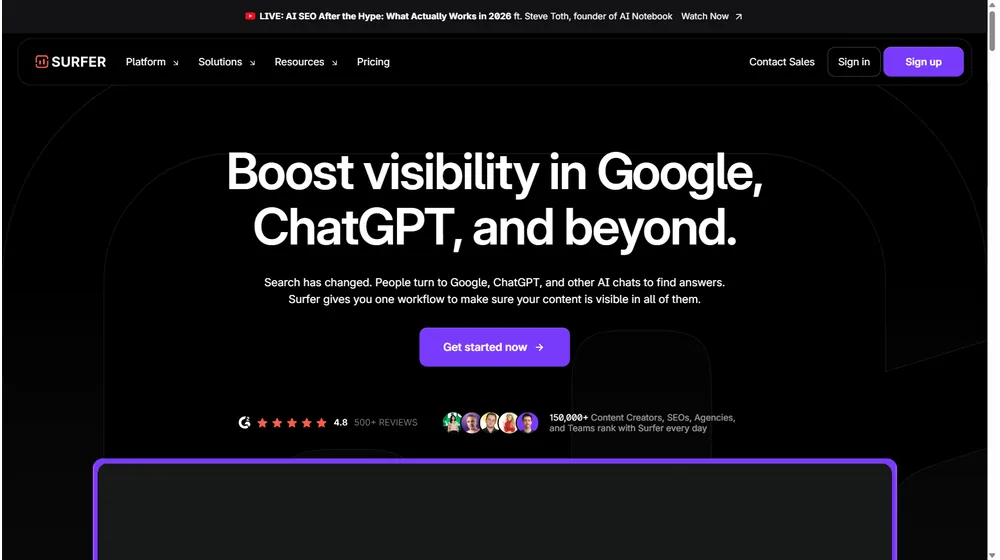
If you want your content seen across Google, ChatGPT, and next-generation AI platforms, Surfer delivers one of the most integrated, AI-powered SEO optimization suites on the market today. In this 2026 Surfer review, we analyze how its workflow, automation, and collaborative features help businesses, creators, and agencies achieve visibility at scale. Surfer’s evolution reflects the changing landscape of both search and content creation.
From Launch to 2026: Surfer’s Evolution
- 2017–2020: Launched as a SERP analyzer for data-driven SEO; rapidly gained traction with early adopters needing actionable, competitive insights.
- 2021–2023: Rolled out Content Editor, Content Planner, and deep NLP-powered recommendations, pushing into full on-page optimization and workflow automation.
- 2024: Introduced AI writing (Surfer AI), internal link automation, and collaborative editing. Focused on visibility not just in Google search but also in AI chat platforms.
- 2025–2026: Expanded suite: AI Content Detector & Humanizer, advanced integrations (Google Docs, WordPress, ChatGPT, more), multilingual editing, and tighter agency features. Surfer positions as a central hub for planning, optimization, and performance monitoring across content channels.
Key Features
- Comprehensive Content Optimization: Entity analysis, NLP keyword suggestions, real-time scoring, and built-in SERP competitor data.
- AI Writing & Humanization: Surfer AI produces ready-to-rank articles and can humanize AI-generated copy to avoid detection and boost readability.
- Internal Linking Automation: Scans your site and inserts context-aware internal links to clarify topical authority for both Google and generative AI.
- Content Planning Hub: Research, outline, brief, draft, optimize, and publish—all from a unified dashboard, with workflows for solo creators or teams.
- Plagiarism Checking: Built-in originality assessment to safeguard against duplicate content and Google penalties.
- AI Content Detector: Distinguish AI-generated from human-authored content to meet editorial or regulatory standards.
- Collaboration Toolkit: Real-time multi-user editing, built-in outline builder, and live content scoring for streamlined teamwork.
- Integrations & Multichannel: Google Docs, WordPress, Zapier, Contentful, and ChatGPT support, enabling publishing anywhere you work.
- Language Flexibility: Write and optimize content in English, Spanish, French, German, Dutch, Swedish, Danish, Polish, and growing.
- Content Score: Instant feedback and optimization cues at every stage of the process—no need for manual analysis.
Workflow & User Experience
- The interface centers on an intuitive dashboard with quick access to brief, outline, write, optimize, and publish modules.
- Real-time scoring means writers and editors get immediate feedback, and suggested improvements appear inline.
- AI assists at every stage—from headline generation to SERP gap analysis—reducing manual research and making best practices accessible to non-technical users.
- Plagiarism checking, AI detection, and humanization tools reduce compliance headaches for agencies and publishers.
- Integrations make collaboration simple: add clients or co-editors, publish to WordPress or Google Docs, and automate delivery via Zapier.
- Onboarding includes guided setup and in-app tours; documentation and support channels cater to different learning preferences.
Surfer Pricing
| Plan | Key Features | Pricing |
|---|---|---|
| Essential | Content Editor, 1 site, limited AI credits, basic support | $29/mo (annual) or $39/mo (monthly) |
| Advanced | Team access, advanced AI, integration suite, plagiarism checker, internal link automation | $89/mo (annual) or $109/mo (monthly) |
| Max | Multi-site, agency workflows, higher usage limits, priority support, API | From $219/mo (annual) |
| Enterprise | Custom volume, onboarding, SLA, dedicated success manager | Quote Only |
Surfer vs. Other SEO Tools
| Feature | Surfer | Jasper | Semrush | MarketMuse |
|---|---|---|---|---|
| Real-Time Content Scoring | Yes | Basic | No | Yes |
| AI Writing + Optimization | Full | Full writing, weak optimization | Partial | Partial |
| Internal Link Automation | Yes | No | No | Limited |
| Plagiarism & AI Detection | Yes (native) | No | No | Partial |
| Google Docs/WordPress Integration | Yes | Yes | No | No |
| Pricing (Entry/Team) | $29/$89 | $49/$99 | $129/$229 | $149/$399 |
| Primary Differentiator | AI+SEO Workflow in One | AI writer w/ templates | All-purpose SEO suite | AI content planning |
Pro Tip: Pair Surfer with your existing keyword research platform—its on-page focus and real-time scoring complement tools like Semrush or Ahrefs, letting you improve what you’ve already planned rather than re-inventing your stack.

Integrations
- Google Docs: Edit, optimize, and publish directly from your familiar workspace.
- WordPress: One-click publishing lets agencies and SMBs ship content with full formatting.
- Zapier: Automate content tasks across 5,000+ apps (e.g., notify your team when content scores rise).
- ChatGPT: Draft or optimize content by piping AI-generated copy into Surfer for SEO scoring and enhancement.
- Contentful: For structured, headless content workflows.
- API Access: Offered on upper plans for advanced automation and custom integrations.


Pros & Cons
| Pros | Cons |
|---|---|
|
|
Final Thoughts
- Surfer blends AI-powered writing, on-page SEO optimization, and team collaboration into a workflow-driven platform built to thrive in the age of Google and generative AI.
- For entrepreneurs, agencies, and SMBs needing scalable, accurate visibility—without endless manual research or dev resources—Surfer presents a strong value proposition and efficient UI.
- While it won’t replace all-in-one SEO tools (like Semrush) for keyword research or analytics, its strengths in execution, automation, and AI put it ahead for those prioritizing content and visibility.
- Transparent pricing, regular updates, and expanding integrations make it a future-proof choice for modern content teams.
Surfer FAQ
Yes, it meets GDPR standards and supports HIPAA via a signed BAA on eligible plans.
Yes, white-label portals support your domain, favicon, and brand visuals.


Ideal for consultants, service firms, and SMBs needing streamlined collaboration.
No—integrates with both. Stripe powers payments; QuickBooks handles accounting.
All plans include chat/email; premium tiers add onboarding and 1:1 setup help.
This post may contain affiliate links and we may earn commissions. Learn more in our disclosure.