

Movavi has evolved from a desktop video editor to a holistic, AI-powered SaaS platform designed to help entrepreneurs, SMBs, and content creators automate and streamline every step of their video, image, and screen capture workflows. In 2026, Movavi delivers an intuitive toolkit that unifies advanced editing, conversion, AI automation, and professional effects—all in one approachable suite.
From Launch to 2026: Movavi’s SaaS Journey
- 2004–2015: Movavi launches as an accessible Windows video editor, quickly gaining global adoption for its ease of use.
- 2016–2020: Expansion into video conversion, screen recording, and photo editing as modular desktop products for creators and SMBs.
- 2021–2023: Rollout of AI features (auto subtitles, noise reduction, upscaling, motion tracking) and bundled product offerings. Focus intensifies on automating tedious tasks.
- 2024: Movavi enters Capterra’s Shortlist for best video-editing software, reflecting strong user ratings and industry endorsements.
- 2025–2026: Complete SaaS consolidation: all flagship apps, auto-tools, 10,000+ effects/music tracks, and cross-platform access in unified plans like Video Suite 2026 and Movavi Unlimited. SMB-focused enhancements, hybrid onboarding, and continuous AI automation set a new standard for visual content productivity.
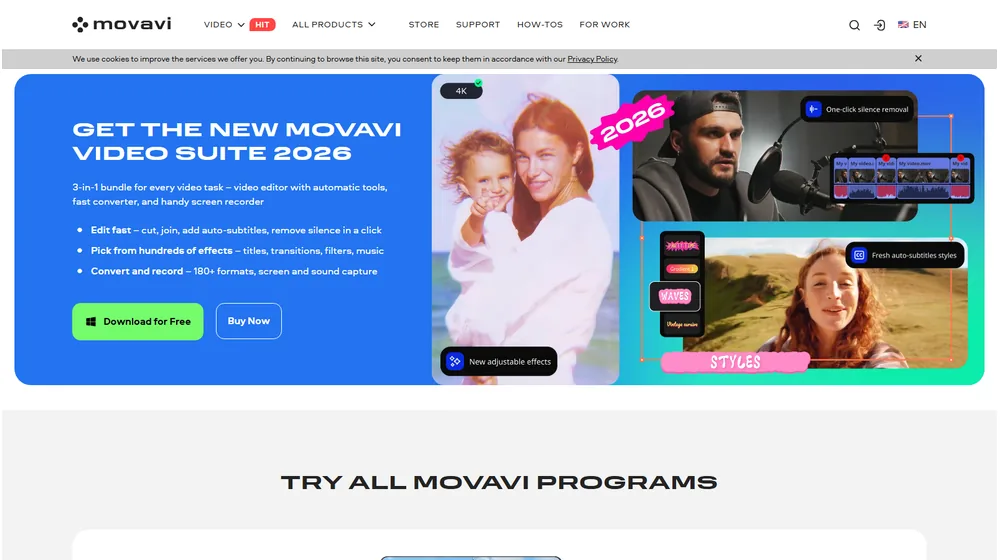
Key Features
- 3-in-1 Unified Video Suite: Combines an AI video editor, high-speed media converter, and robust screen recorder under one login with seamless file flow.
- AI Automation: One-click auto-subtitles in most languages, AI noise removal, and AI-driven motion tracking make pro results accessible to non-editors.
- Ultra-Fast File Conversion: Support for 180+ formats, AI-powered upscaling, batch processing, and lossless compression optimize content for any channel.
- Screen and Audio Capture: Record any screen region, with webcam and live annotation—ideal for tutorial creators, trainers, and distributed teams.
- 10,000+ Effects and Assets: Titles, transitions, overlays, music tracks, LUTs, stickers, intros/outros and more included; all fully customizable for rapid branding.
- Template-Driven Editing: Ready-to-use, auto-adaptive templates (social media, shorts, training) speed up the production pipeline.
- Intuitive Multi-OS Access: Modern, hand-holding interface for Windows, Mac, with web onboarding and learning tools; zero technical background required.


Workflow & User Experience
- Central dashboard for switching between video editing, photo editing, conversion, and screen capture.
- Timeline editor with drag-and-drop, visual real-time previews, and context menus (no learning curve).
- AI auto tools surface automatically based on media type—no scripting or setup.
- All effects and music libraries are searchable, filterable, and instantly previewed within the editor.
- Automated silence removal and one-click export for social, mobile, and standard formats.
- Responsive cloud sync and batch rendering for streamlined organization across devices.
Movavi Pricing
| Plan | Key Features | Pricing (Estimate, 2026) |
|---|---|---|
| Movavi Video Editor | AI editing tools, templates, 100+ effects, export with watermark (free version); all features with paid license | Free trial (limited export) Paid: $59.95/year or lifetime |
| Movavi Video Suite | Editor, converter, screen recorder in one; hundreds of effects; full export | $94.95/year |
| Movavi Unlimited | All apps (photo, video, screen), plus 10,000+ effects/music, priority support | ~$155/year (promos often at 80% off) |
| Photo Editor / Converter / Screen Recorder (Standalone) | Single-app, essential AI tools, basic export options | $49–$59/year |
| Enterprise/Teams | Bulk licensing, onboarding, rollout support | Custom/Quote |
Movavi vs. Other Video Editing SaaS
| Feature | Movavi Suite 2026 | Canva | Adobe Premiere | CapCut |
|---|---|---|---|---|
| AI automation | Extensive (auto-subtitles, noise, silence, upscaling, tracking) | Light (basic) | Moderate (longer learning curve) | Strong |
| Integrated suite | Yes (editor, converter, screen recorder, photo) | Partial (design focused) | No (editing only) | Video/social focus |
| Content assets (music, FX) | 10,000+ built-in | Some templates | Requires add-ons | Moderate |
| Target user | SMBs, solo creators, trainers | Marketers, designers | Pro video editors | Influencers, rapid shorts |
| Ease of use | Beginner-ready, hand-holding UI | Very simple | Steep learning curve | Easy |
| Free trial | Yes | Yes | Yes | Yes |
| Price | $$ (SMB tiered) | $ (freemium) | $$$ (pro pricing) | $ (mainly free) |
Pro Tip: For the best value, move to Movavi Unlimited during seasonal promo campaigns where enterprise-level features and all effects packs are frequently discounted up to 80%. Always double-check the official Movavi site for current SaaS offers before subscribing.

Integrations
- Native export to all major video formats (MP4, MOV, AVI, WMV, MKV, etc.), optimized presets for YouTube, Instagram, Facebook, and TikTok.
- Direct-to-device and cloud upload (Google Drive, YouTube) with login auth.
- API-level extensibility limited—focus is on user-friendly built-ins over complex integrations.
- Office/SMB automation and file compatibility with Microsoft Office, Apple platforms, and common image formats.
Pros & Cons
| Pros | Cons |
|---|---|
|
|
Final Thoughts
Movavi provides entrepreneurs and SMB teams with a practical, cost-effective answer to modern video content challenges. Its focus on unified workflows, real-time AI automation, plus generous baked-in effects and templates, creates a productivity edge for anyone creating promotional, educational, or client-facing media. For growing businesses that want results—minus the staff or skillset of a dedicated video team—Movavi stands out as one of 2026’s most versatile and accessible SaaS platforms for streamlined, high-impact content generation.
Movavi FAQ
Yes, it meets GDPR standards; HIPAA support is not core focus but data is securely handled by design.
Not applicable—Movavi operates as desktop/cloud SaaS, not as a client-portal platform.
Solopreneurs, SMB marketers, consultants, creators, teachers, and trainers who need rapid, pro-quality content output.
No—Movavi is dedicated to video/photo; no accounting or payment integrations.
All plans include email/chat support; Unlimited adds faster response and seasonal onboarding incentives.




