
Miro’s evolution through 2026 is a blueprint for modern collaboration—fusing whiteboarding, project planning, and AI to help growing businesses and teams ideate, strategize, and execute, all from a single cloud platform. As remote and hybrid work become the norm, Miro enables visual thinkers and project leaders to bridge gaps, drive alignment, and boost innovation with agile, real-time tools that futureproof how distributed teams work.
From Launch to 2026: Projected Growth Timeline
- 2011–2019: Founded as RealtimeBoard, Miro pioneers browser-based whiteboarding for global teams.
- 2020–2022: Rapid pandemic-fueled growth; launches integrations, advanced templates, and enterprise controls.
- 2023–2024: Introduces AI-powered insights, robust security, and marketplace ecosystem; expands beyond whiteboarding to full visual workspaces.
- 2025–2026 (Forecast): Miro cements itself as the onboarding hub for distributed innovation—expected to roll out deeper AI, enterprise-grade automation, and domain-specific vertical solutions for product, design, and operations teams globally.
Key Features
- Infinite Whiteboard Canvas: Unlimited space to ideate, plan, and diagram with drag-and-drop widgets and sticky notes.
- Templates Marketplace: 1,000+ ready-to-use boards for scrum, design sprints, OKRs, and customer journey mapping.
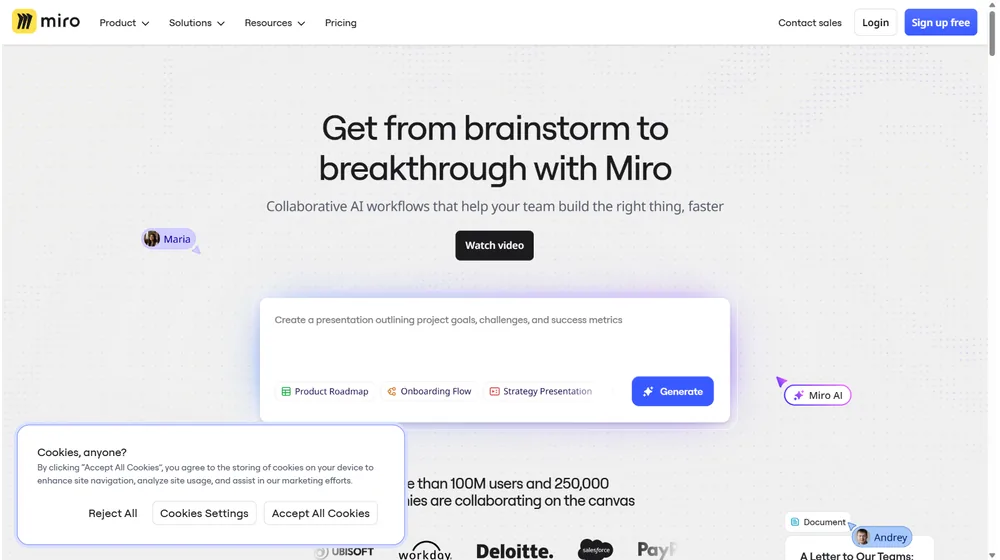
- AI Collaboration Tools: Smart clustering, auto-organize, idea generation, and instant mind-mapping fueled by generative AI.
- Real-Time Collaboration: Multi-user editing, live cursors, voting, and commenting—no installation required.
- Enterprise-Grade Security: SAML SSO, data encryption, audit logs, and granular user controls.
- Robust Integrations: Connects with Slack, Jira, Asana, Teams, Google Workspace, and over 100 SaaS apps.
- Advanced Permissions & Sharing: Board-level access control, guest links, and external sharing with stakeholders.


Workflow & User Experience
- Onboarding takes minutes—invite team members and set up projects with zero friction.
- Intuitive drag-and-drop interface with customizable templates and widgets.
- Seamless switching between brainstorming, planning, and execution workflows.
- Contextual commenting and voting streamline feedback and decision-making.
- Mobile and tablet apps provide full functionality on the go.
Miro Pricing
| Plan | Core Features | Pricing |
|---|---|---|
| Free | 3 editable boards, core templates, basic collaboration | $0 |
| Starter | Unlimited boards, advanced templates, integrations | $8/user/mo (billed annually) |
| Business | Advanced collaboration, SSO, Smart Meetings, guest permissions | $16/user/mo (billed annually) |
| Enterprise | Full security suite, domain control, advanced integrations, premium support | Custom Quote |
Miro vs. Leading Alternatives
| Platform | Best For | Unique Strength | Starting Price |
|---|---|---|---|
| Miro | Distributed teams, visual collaboration | Marketplace, AI tools, integrations | $8/user/mo |
| Lucidspark | Diagramming, enterprise orgs | Deep Lucidchart embedding | $10/user/mo |
| FigJam | Design teams, Figma users | Native Figma workflows | $3/editor/mo |
| Microsoft Whiteboard | MS 365 orgs, simple whiteboarding | Free with 365, tighter Teams integration | Included |
Pro Tip: Automate your team’s kickoff, sprint planning, and retrospectives directly inside Miro using built-in templates and integrations—saving hours every sprint.

Integrations
- Slack, Microsoft Teams, Zoom, and Google Workspace for seamless team communication
- Jira, Asana, Trello for agile project management syncs
- Figma, Adobe XD for design-to-development handoffs
- API and marketplace for custom apps and automation
Pros & Cons
| Pros | Cons |
|---|---|
|
|
Final Thoughts
Miro is more than a digital whiteboard—it’s a visual operating system for modern teams, product managers, and consultants. With a robust feature set, marketplace, and increasing AI capabilities, Miro powers ideation and execution in the new world of hybrid work. If your business values speed, alignment, and creative agility, Miro is poised to be an indispensable part of your toolkit through 2026 and beyond.
Miro FAQ
Yes, it meets GDPR standards and supports HIPAA via a signed BAA on eligible plans.
Yes, white-label portals support your domain, favicon, and brand visuals.
Ideal for consultants, service firms, and SMBs needing streamlined collaboration.
No—integrates with both. Stripe powers payments; QuickBooks handles accounting.
All plans include chat/email; premium tiers add onboarding and 1:1 setup help.




