
By 2026, AI-driven automation is set to become a default expectation in business meetings—and MeetGeek is shaping that future today, delivering precise transcripts, real-time summaries, and actionable insights for SMBs without developer overhead or onboarding friction.
From Launch to 2026: The MeetGeek Timeline
- 2021: MeetGeek launched, targeting teams searching for seamless AI meeting recording and notes.
- 2022: AI summaries, multilingual support, and integrations with Zoom, Google Meet, and Microsoft Teams roll out.
- 2023: Voice analytics, auto-highlights, action items detection, Zapier/Slack/Asana integrations, and robust admin controls debut.
- 2024: Upgraded UX, user roles, advanced search, and compliance suites added for sophisticated SMBs.
- 2025-2026 (Projected): Expansion into API access, role-based insights, and near-instant cross-team action planning—positioning MeetGeek as the standard AI copilot for hybrid workforces globally.
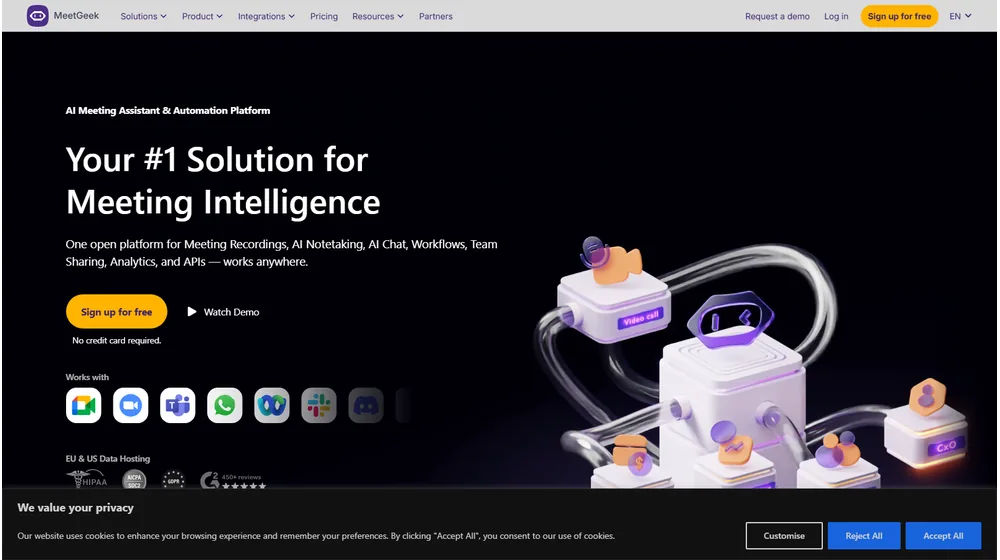
Key Features: Capability Breakdown
- Automated Meeting Notes & Transcripts: AI-generated, searchable, and shareable summaries from every meeting.
- Action Items & Highlights: Detects next steps and organizes discussion points automatically for review.
- Instant Sharing & Collaboration: Invite teammates, assign tasks, and export notes to preferred tools.
- Multi-Platform Support: Integrated with Zoom, Google Meet, Teams, and can record in hybrid/remote settings.
- Compliance Ready: GDPR, SOC2, and optional HIPAA support on premium tiers.
- Customizable Branding: White-label features for consultants and agencies managing client calls.
- Role-Based Permissions: Team management, user roles, and access controls.
- Third-Party Integrations: Slack, Asana, Zapier, HubSpot, Notion, and more.
- Powerful Search & Analytics: Quickly find decisions, follow-ups, and monitor meeting trends.


Workflow & User Experience
- Setup: Connect your calendar, set up auto-join for scheduled meetings—no tech expertise needed.
- During Meeting: MeetGeek bot attends, records, transcribes, and generates highlighted notes in real time.
- After Meeting: Receive AI summary—tag attendees, delegate action items, share or export instantly.
- Analytics: Dashboard reveals participation, action rates, and engagement insights, empowering proactive follow-up.
- Support: In-app guides, knowledge base, chat/email, with premium onboarding for higher tiers.
MeetGeek Pricing
| Plan | Main Features | Price (USD) |
|---|---|---|
| Free | Limited meetings/month, core AI notes, basic integrations | $0 |
| Pro | Unlimited meetings, advanced AI, export, integrations, custom branding | $19/user/mo |
| Business | Admin controls, analytics, team management, compliance features | $39/user/mo |
| Enterprise | SAML SSO, HIPAA/GDPR, API, white-label, advanced support | Custom Quote |
How Does MeetGeek Compare?
| Feature | MeetGeek | Otter.ai | Fireflies.ai |
|---|---|---|---|
| Real-time AI Notes | Yes | Yes | Yes |
| Multi-user Collaboration | Yes | No | Yes |
| Full-Brand White-labeling | Yes (Pro+) | No | Limited |
| Compliance Options | SOC2, GDPR, HIPAA | GDPR | GDPR |
| API Access | Roadmap/Enterprise | Yes (limited) | Yes |
| Pricing from (USD) | $0 | $8.33 | $10 |
| Premium Support | Yes (Business+) | No | Yes |
Pro Tip: To maximize ROI, automate meeting follow-ups using MeetGeek’s Zapier or Slack integration—save hours, reduce missed action items, and speed up project cycles.

Integrations
- Zoom
- Microsoft Teams
- Google Meet
- Slack
- Asana
- Zapier
- HubSpot
- Notion
- API access (enterprise/roadmap)
Pros & Cons
| Pros | Cons |
|---|---|
|
|
Final Thoughts: Should You Choose MeetGeek?
If your team needs automated, reliable meeting insights and task tracking, MeetGeek is a leading contender—especially with its focus on privacy, seamless collaboration, and fast onboarding. Versatile enough for solo consultants, agencies, or scaling SMBs, its investment in actionable AI and integrations sets it apart from traditional note-taking solutions, making it future-ready through 2026 and beyond.
MeetGeek FAQ
Yes, it meets GDPR standards and supports HIPAA via a signed BAA on eligible plans.
Yes, white-label portals support your domain, favicon, and brand visuals.
Ideal for consultants, service firms, and SMBs needing streamlined collaboration.
No—integrates with both. Stripe powers payments; QuickBooks handles accounting.
All plans include chat/email; premium tiers add onboarding and 1:1 setup help.




