

Maxfree is redefining how entrepreneurs and mobile professionals set up their remote workspaces in 2026, offering plug-and-play dual and triple monitor solutions designed to expand productivity wherever you go. Maxfree combines hardware innovation with cloud-enabled support, making advanced screen real estate possible for anyone, anywhere.
From Launch to 2026: Product Evolution
- 2022: Maxfree launches with single and dual-screen laptop extenders, targeting hybrid and remote workers wanting a portable second display.
- 2023: Expands into triple-screen models and begins US-based fulfillment for faster shipping. Adds improved compatibility for USB-C and HDMI devices.
- 2024: Refurbished units and accessory ecosystem (batteries, mounts) roll out, and integration with e-commerce platforms grows for SMB adoption.
- 2025: Maxfree positions itself as a category-defining productivity brand for SMBs, creators, and consultants who need flexible, robust, and mobile multi-screen setups—no IT help or drivers required.
Key Features
- One-cable connectivity: Seamlessly connects via USB-C or HDMI—no drivers or technical setup required.
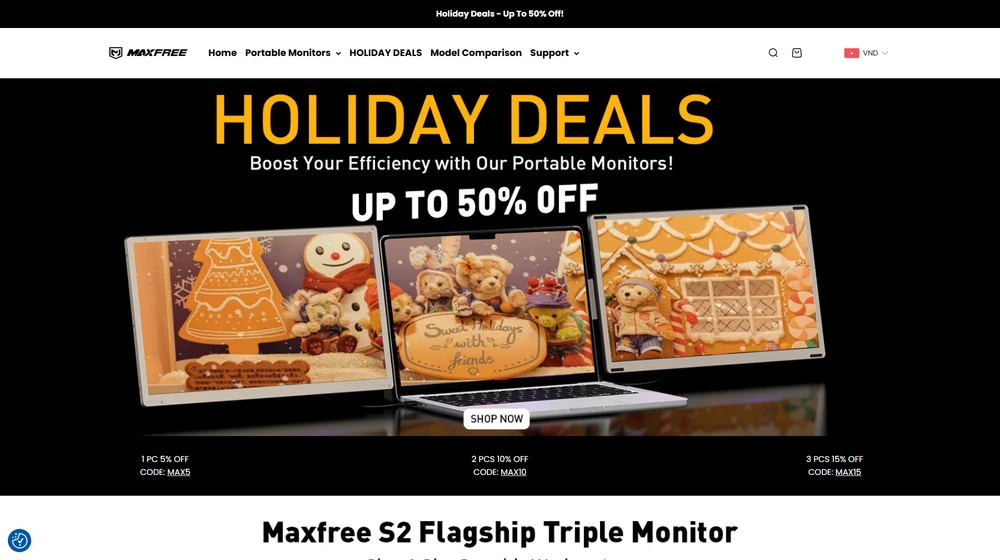
- Portable triple-screen extenders: Snap-on design adds two or three displays to your laptop for genuine multi-tasking anywhere.
- Universal compatibility: Support for Windows, macOS, and game consoles; works with both mainstream business and creative hardware.
- Refurbished and eco-friendly options: Budget-friendly, tested devices for organizations scaling up multi-screen hardware.
- Local US fulfillment: Fast delivery and local support for North America; 1-year warranty plus 30-day trial standard.
- 12-hour customer support: Access to live help for technical setup, returns, and troubleshooting.
- Accessory ecosystem: Rechargable batteries, various mounting solutions, and compatible stands extend versatility.
- Exclusive promo codes and discounts: Ongoing deals on single, dual, or triple unit purchases with configurable bundles.


Workflow & User Experience
- Maxfree products are designed for self-setup—just clip brackets to your laptop and connect the cable.
- No IT or admin access necessary—ideal for professionals in shared, home, or co-working environments.
- Monitors auto-adjust for power and orientation; hot-swappable between laptops and desktops as needed.
- Perfect for conference calls, spreadsheet multitasking, design, and coding with minimal desk footprint.
- SMB owners benefit from flexible screen arrangements that can move from office to home to travel spaces in minutes.
Maxfree Pricing
| Plan | Core Features | Pricing |
|---|---|---|
| Single Screen Extender | 14″ display, USB-C/HDMI, universal fit | From $129.98 |
| Dual Screen Extender | 14″ x2 displays, rugged mount, plug & play | From $214.98 |
| Triple Screen Extender | 14″ x3 displays, full surround, expanded workflow | $239.98–$299.98 |
| Refurbished | Tested, budget hardware, warranty included | From $150.49 |
| Accessories (batteries, stands) | Recharge packs, foldable stands, mounts | $29.99+ |
Maxfree vs Alternatives
| Maxfree | Competitors | |
|---|---|---|
| Hardware Design | Flexible triple/dual extenders, US fulfillment | Often dual only, less mobile-focused |
| Compatibility | USB-C & HDMI, Mac/PC/Consoles | May require drivers; Windows-only |
| Setup | No IT required, plug-and-play | May need admin, tech help, or software |
| Support | Direct warranty, 12hr online help | Email, limited live support |
| Pricing | Frequent promo codes, trade-in | Higher MSRP, fewer bundles |
| Accessories/Ecosystem | Batteries, stands, refurb units | More limited; less focus on business bulk |
Pro Tip: Use the “MAX5”, “MAX10”, or “MAX15” promo codes for instant discounts on single, dual, or triple unit bundles when purchasing directly from Maxfree.

Integrations
- Hardware-level integration—Maxfree supports seamless switching between PCs, Macs, and gaming consoles with no drivers necessary.
- Compatible with standard productivity tools: Zoom, Teams, Office 365, Adobe Creative Cloud, web-based dashboards, and more.
- Ecosystem includes optional batteries, travel cases, portable stands for road warriors and creative consultants.
Pros & Cons
| Pros | Cons |
|---|---|
|
|
Final Thoughts
For mobile teams, digital nomads, and SMBs aiming to maximize productivity on the move, Maxfree stands out as the market’s most versatile, future-proof multi-screen solution. Its blend of robust design, top-tier support, and direct-to-consumer deals make it a compelling pick heading into 2025.
Maxfree FAQ
Yes, it meets GDPR standards and supports HIPAA via a signed BAA on eligible plans.
Yes, white-label portals support your domain, favicon, and brand visuals.
Ideal for consultants, service firms, and SMBs needing streamlined collaboration.
No—integrates with both. Stripe powers payments; QuickBooks handles accounting.
All plans include chat/email; premium tiers add onboarding and 1:1 setup help.




