

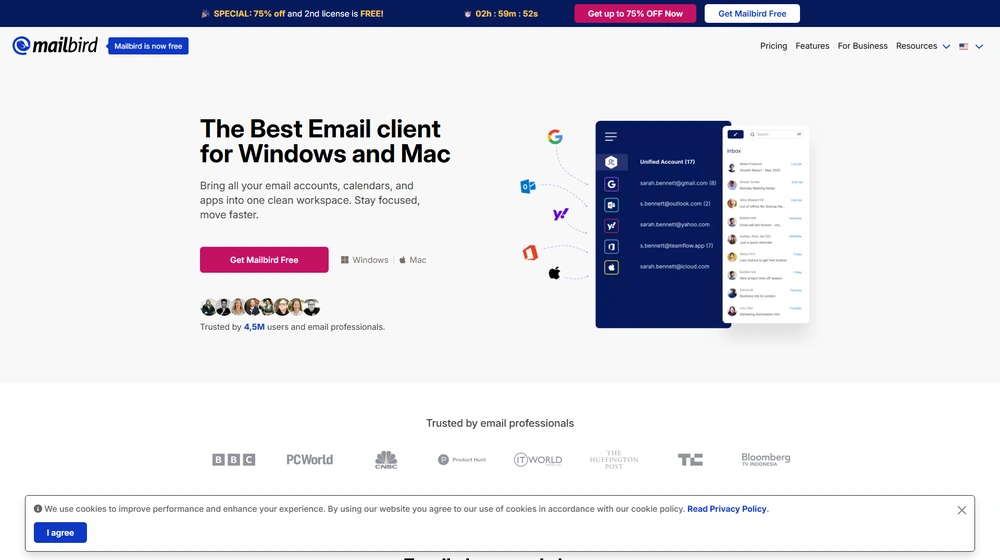
Mailbird Pro positions itself in 2026 as the all-in-one email client for Windows and Mac users who value speed, customization, and a truly unified inbox. With a broad base of over 4 million users, Mailbird Pro increasingly appeals to entrepreneurs, SMB owners, and productivity-focused teams seeking seamless management of multiple email accounts and workflows across devices.
From Launch to 2026: Mailbird Pro’s Evolution
- 2013: Mailbird officially launches on Windows, quickly earning a reputation for its clean UI and unified inbox.
- 2016–2020: Adds IMAP/POP3 support, integrations (calendar, tasks), and rapid customer growth in SMB/consultant segments.
- 2023: Receives notable industry awards (G2, CleanEmail, etc.). 4 million+ user milestone reached.
- 2024–2025: Launches full-featured Mac version, cross-platform licensing, advanced AI-powered writing, and further enhancements in speed, app integrations, and simplicity for business users.
Key Features
Unified Inbox & Multi-Account Handling
- Centralize all accounts (Gmail, Outlook, custom IMAP/POP3) in one smart inbox.
- Supports even “lesser-known” providers seamlessly.
- Simplifies managing client, work, and personal accounts for SMBs and consultants.


Modern, Customizable UI
- Intuitive layout with themes and workspace customization (backgrounds, signature branding).
- Advanced search, folders, and unified contacts.
- Keyboard shortcuts and power-user controls.
Productivity & Workflow
- AI-powered email writing assistant to generate drafts and improve clarity.
- One-click unsubscribe & sender block.
- Snooze emails, smart attachment search, and advanced filters.
- Email tracking with real-time read receipts.
App Integrations & Ecosystem
- Integrates 30+ tools: Google Calendar, Dropbox, Slack, Asana, WhatsApp, and more.
- Custom app/web panels for tailored workflows.
- Cross-platform licensing—install on Windows and Mac with a single subscription.
Workflow & UX
- Onboarding is fast: most accounts sync in under 2 minutes.
- Unified inbox, advanced search, and multi-account switching feel smooth and snappy.
- Email snoozing, prebuilt signature management, and single-click app navigation reduce cognitive load for busy SMB teams and solo operators.
- Highly responsive design with dark mode and mobile-friendly adjustments for hybrid work scenarios.
Mailbird Pro Pricing
| Plan | Key Features | Pricing (USD) |
|---|---|---|
| Free | Basic features, ads, single device | $0 |
| Pro | Unified inbox, unlimited accounts, integrations, email tracking, priority support, Windows + Mac | $49/year per user or $179 one-time (lifetime) |
| Business | All Pro features, enhanced admin, onboarding, premium support, volume pricing | From $79/year per user, discounts for teams |
Mailbird Pro vs. Major Alternatives
| Feature | Outlook | Thunderbird | eM Client | Mailbird Pro |
|---|---|---|---|---|
| Unified inbox/contacts | Partial | No | Yes | Yes |
| Modern customizable UI | No | No | Limited | Yes |
| App integrations | No | No | Partial | Full |
| Cross-platform license | No (split plans) | Community | Windows only | Windows & Mac |
| AI-powered email drafting | No | No | No | Yes |
| Pricing simplicity | Complex tiers, bundles | Free | Paid only, device limits | Transparent |
| Support quality | Enterprise only | Community/forum | Email only | 24/7 chat/email |
Pro Tip
For businesses juggling multiple email accounts and tool stacks, keep workflow friction low by centralizing communication in Mailbird Pro. A unified inbox, built-in apps, and real AI writing support can easily save you hours per week over legacy alternatives.

Integrations Marketplace
- Full in-app integrations with 30+ platforms: Google Workspace, Exchange, Dropbox, Slack, Asana, Evernote, WhatsApp, Facebook Messenger, LinkedIn, Twitter.
- Open architecture allows adding custom web apps and widgets.
- Popular with marketing consultants, agencies, hybrid teams, IT admins automating tasks.
Pros & Cons
| Pros | Cons |
|---|---|
|
|
Final Thoughts
In 2026, Mailbird Pro is poised as a top choice for professionals and teams prioritizing a smooth, unified communication experience across both Windows and Mac. The product’s focus on user-centric design, strong support, and relentless integration momentum makes Mailbird Pro a modern, future-proof alternative to clunky, outdated desktop email clients and fragmented webmail setups.
Mailbird Pro FAQ
Yes, it meets GDPR standards and supports HIPAA via a signed BAA on eligible plans.
Yes, white-label portals support your domain, favicon, and brand visuals.
Ideal for consultants, service firms, and SMBs needing streamlined collaboration.
No—integrates with both. Stripe powers payments; QuickBooks handles accounting.
All plans include chat/email; premium tiers add onboarding and 1:1 setup help.




