

iMobie positions itself in 2026 as a unified platform for entrepreneurs, SMBs, and evaluators seeking efficient digital device management—combining unlock, data recovery, transfer, and multimedia tools under one roof. iMobie distinguishes its suite through ease of use, broad device compatibility, and continual AI-driven updates, making it a strong candidate versus fragmented competitors.
From Launch to 2026: iMobie’s Evolution
- 2011: iMobie launches in Irvine, California, focusing on iOS/Android data management.
- 2013–2017: Growth with products like AnyTrans (transfer) and PhoneRescue (data recovery), extending support from iOS to Android and desktop environments.
- 2018–2022: Expansion of unlock utilities (AnyUnlock, DroidKit) and system repair (AnyFix), as well as multimedia SaaS entries (FocuSee, AnyEnhancer).
- 2023–2025: Emphasis on AI-powered tools, streamlined licensing, and global reach—supporting 20+ languages, extensive platforms, and robust customer support. iMobie solidifies itself as a single vendor for device unlock, data rescue, system maintenance, and cross-device management, catering especially to SMB and consultant needs for device fleets and client support.
Key Features & Capabilities
- Device Unlock Suite: Bypass iOS/Android lock screens, Apple ID, iCloud activation, MDM, and FRP restrictions without codes. Streamlined for both field techs and non-technical users.
- Data Recovery: Restore lost/deleted content (messages, contacts, photos, WhatsApp, notes) on both iOS and Android devices—even in severe device failure or dead-device scenarios.
- Full Data Transfer & Management: One-click migration for digital assets (contacts, media, apps) across devices and platforms, with dedicated tools for iOS (AnyTrans), Android (AnyDroid), and app-level (AppTrans) transfer—including support for WhatsApp and third-party app data.
- System Repair: Quickly fix common and advanced errors (boot loops, system crashes, screen stuck, iOS downgrades) with solutions such as AnyFix and DroidKit’s repair features.
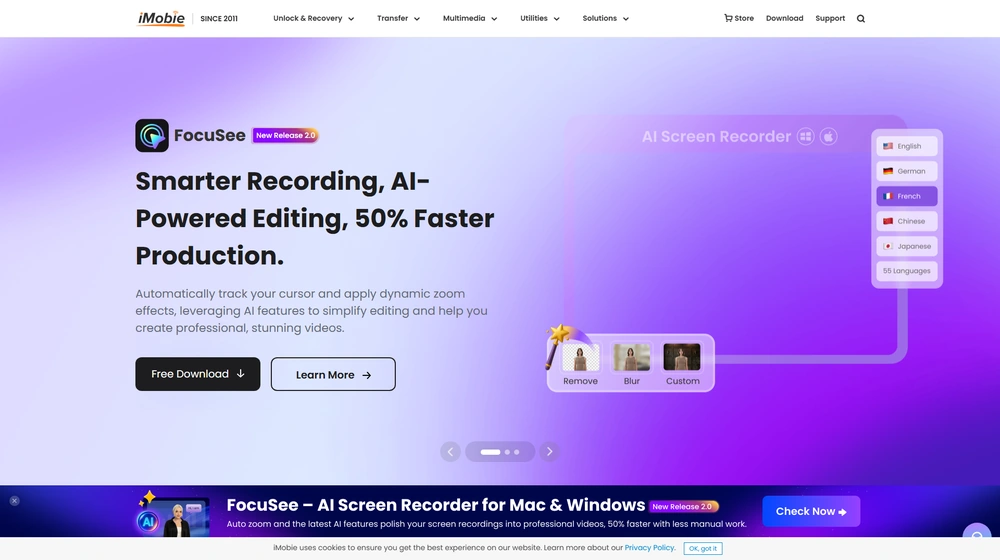
- AI-Powered Multimedia: FocuSee automatically enhances screen recording with cursor tracking and zoom; AnyEnhancer applies AI upscaling and video/audio optimization.
- Cross-Platform Compatibility: Works seamlessly on Windows and macOS; covers nearly all iOS and Android models from major manufacturers.
- Dedicated Utility Apps: Integrates device optimization (PhoneClean, MacClean), HEIC conversion tools, and advanced system compatibility checkers (M1 App Checker).


Workflow & User Experience
- Unified Dashboard: Responsive interface—modules are clearly segmented by task (Unlock, Transfer, Recover, Optimize).
- One-click Automation: Most operations (e.g., removing passcodes, recovering deleted data) are performed via guided workflows—no CLI or technical jargon.
- 24/7 Global Support: Accessible via chat/email in 10+ languages; detailed knowledge base plus video tutorials via official YouTube channel.
- Security & Certification: Apple and Microsoft certified developer; all downloads/transactions SSL-encrypted. Regular updates ensure device compatibility for 2025 and beyond.
iMobie Pricing
| Product | Key Use Case | Pricing (USD, est.) |
|---|---|---|
| AnyUnlock | iOS unlock, MDM, Apple ID bypass | From $39.99/year (1 device) |
| DroidKit | Android unlock, recovery, repair | From $39.99/year (1 device) |
| AnyTrans | iOS transfer & backup | From $39.99/year |
| PhoneRescue | iOS/Android data recovery | From $49.99/year |
| AnyFix | iOS system repair | From $29.99/year |
| Suite Bundles | All essential modules | Custom/Volume Pricing on request |
How iMobie Compares
| Feature/Competitor | iMobie | Dr.Fone | Tenorshare | Native Tools |
|---|---|---|---|---|
| Device Unlock (iOS & Android) | Yes (comprehensive, no code required) | Partial | Partial | No |
| Data Recovery | Multi-platform, deep scan | iOS/Android | iOS/Android | Limited |
| AI-Powered Video Tools | Yes (FocuSee, AnyEnhancer) | No | No | No |
| Cross-Device Transfer (iOS↔Android) | Yes | Partial | Partial | No |
| System Repair (iOS & Android) | Yes | iOS | iOS/Android | Limited |
| Enterprise Support | Available (multi-language, 24/7) | Email only | Email only | No |
| Price Value (2025) | High, modular or suite plans | Mid | Mid | Free/Basic Only |
Pro Tip: SMBs and consultants managing multiple device types or client fleets benefit most from iMobie‘s modular licensing—map tools directly to needs, avoiding overpaying for wasteful all-in-ones.

Integrations
- iMobie primarily focuses on direct device/OS support; native integrations for Apple ecosystem (iCloud, iTunes), selective Android manufacturers, plus compatibility utilities (HEIC Converter, M1 App Checker).
- No third-party cloud/SaaS integrations, but exports/imports with CSV, VCF, and common data formats are supported for migration workflows.
Pros & Cons
| Pros | Cons |
|---|---|
|
|
Final Thoughts
For SMBs, consultants, and pros managing mixed device environments, iMobie stands out in 2026 for its unified, modular solutions—combining device unlocking, data recovery, transfer, and repair, all under a single user-friendly roof. The continual investment in AI features (FocuSee, AnyEnhancer) and rapid adaptation to OS changes keeps it a category leader, especially for those preferring flexible licensing over expensive, rigid enterprise suites.
iMobie FAQ
Yes, it meets GDPR standards and supports HIPAA via a signed BAA on eligible plans.
Yes, white-label portals support your domain, favicon, and brand visuals.
Ideal for consultants, service firms, and SMBs needing streamlined collaboration.
No—integrates with both. Stripe powers payments; QuickBooks handles accounting.
All plans include chat/email; premium tiers add onboarding and 1:1 setup help.




