

Clean Email is positioning itself as the go-to solution for businesses and individuals aiming to regain control over chaotic inboxes in 2026. Entrepreneurs and SMB owners will find Clean Email brings advanced automation and user-friendly workflows to manage, organize, and maintain clean inboxes across multiple email accounts.
From Launch to 2026: Evolution of Clean Email
- 2015: Clean Email launches as a focused inbox decluttering app, targeting overwhelmed Gmail and Outlook users.
- 2018–2020: Expands with powerful bulk actions, multi-account management, and tighter privacy standards, addressing the growing needs of freelancers and SMBs.
- 2021–2023: Adds rule-based automations, enhanced unsubscribe features, and stronger cross-platform support (web, iOS, Android, Mac).
- 2024–2025: Refined for productivity-driven organizations, the platform leverages machine learning for proactive suggestions and privacy-first workflows. Clean Email stands apart as an independent provider with millions of users, prioritizing data security and ongoing feature expansion.
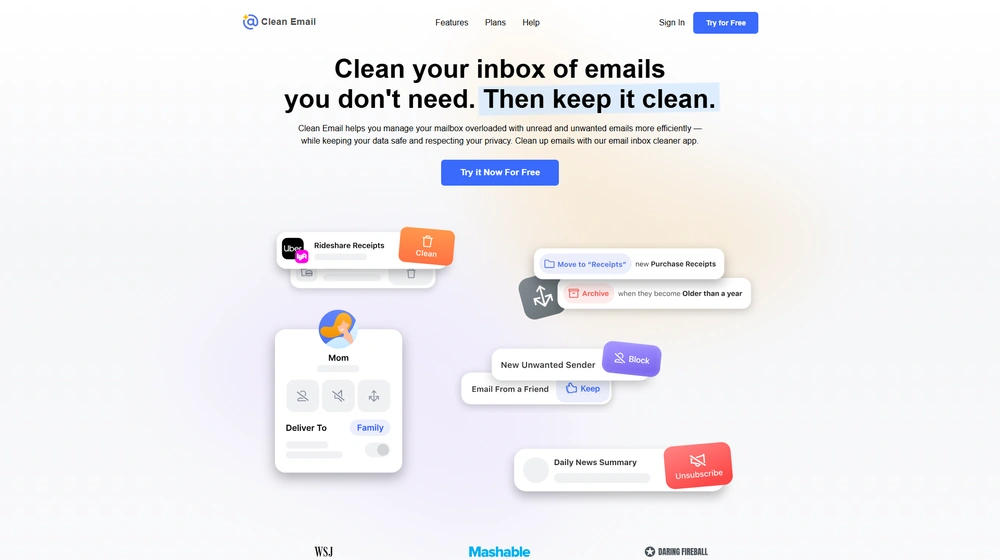
Key Features
- Bulk Email Cleaning – Delete, archive, or label thousands of emails in seconds with advanced filters.
- Smart Unsubscriber – Effortlessly remove yourself from unwanted mailing lists while blocking persistent senders.
- Automated Rules & Scheduling – Set up custom automations to auto-archive newsletters, flag important mail, or group messages by habitual actions.
- Screener – Temporarily halt messages from unknown senders for vetting.
- Suggested Cleanups – Machine learning surfaces proactive suggestions based on your usage and best practices from other users.
- Cross-platform Support – Manage multiple accounts on web, macOS, iOS, and Android devices.
- Privacy-First Design – No ads, no data sales, and full transparency around account encryption and user control.


Workflow & User Experience
- Smooth onboarding—connect a mailbox in seconds, with instant email categorization.
- The dashboard allows for rapid bulk actions, intuitive rule-building, and one-click unsubscriptions, streamlining daily email management for entrepreneurs and teams alike.
- Mobile and desktop interfaces maintain consistent experience, supporting fast inbox triage on the go.
- Batch actions for multiple email addresses—ideal for SMBs managing several shared inboxes.
Clean Email Pricing
| Plan | Key Features | Pricing |
|---|---|---|
| Individual | Single user, unlimited mailbox cleaning, all automation tools, privacy-first | $7.99/mo (estimated; annual discounts available) |
| Family | Up to 5 accounts, all Individual features, centralized billing | $19.99/mo (estimated; annual discounts available) |
| Team/Business | 10+ accounts, advanced admin tools, priority support | Custom/Quote |
| Free Trial | Limited mailbox actions, all core features for testing | Free – no credit card required |
How Clean Email Compares
| Product | Best For | Key Differentiators | Data Privacy | Pricing |
|---|---|---|---|---|
| Clean Email | SMBs and individuals | User-friendly automations, no tracking, strong privacy, multi-account | Encrypted, no data resale | From $7.99/mo |
| Unroll.Me | Personal users | Free, fast rollups, but relies on some data sharing | Data shared with partners/ad networks | Free |
| Mailstrom | Advanced users | Complex filtering, cleanup bundles, less intuitive UI | Paid tiers avoid data sharing | From $9/mo |
| Edison Mail | Mobile-centric users | Integrated mail client, AI assistant, ad-supported model | User data may be analyzed for AI features | Free/premium |
Pro Tip: Use Clean Email’s automation rules to routinely label, archive, or delete newsletters and low-priority updates, freeing up hours of manual triage each week. SMBs can combine these with admin controls for consistent organization across team inboxes.

Integrations
- Clean Email connects with all major email providers: Gmail, Outlook, Yahoo, iCloud, AOL, Fastmail, and others using secure OAuth or IMAP integration.
- Offers cross-device sync between desktop and mobile; native apps for iOS, Android, and macOS.
- Currently, Clean Email does not offer third-party app or productivity platform integrations (e.g., Slack, Zapier); focus remains on inbox and mail client automation.
Pros & Cons
| Pros | Cons |
|---|---|
|
|
Final Thoughts
For entrepreneurs and SMBs seeking reliable, privacy-conscious inbox management that requires no developer resources, Clean Email offers an excellent mix of automation, usability, and cross-platform coverage. Its focus on transparency and actionable features, combined with a straightforward pricing model, makes it an appealing option heading into 2025. Alternatives may suit basic individual needs or those seeking deep third-party integrations, but Clean Email stands out for maintaining security, trust, and efficacy at scale.
Clean Email FAQ
Yes, Clean Email meets GDPR requirements. For HIPAA, contact the sales team to discuss eligibility for a signed BAA on qualified plans.
Yes, Clean Email integrates with all major providers, including Gmail, Outlook, iCloud, Yahoo, AOL, and more via secure protocols.
Unlike free services, Clean Email does not sell or share user data and offers superior automation, team features, and privacy controls.
Yes, a free trial allows you to test core features and bulk actions without entering payment information.
Support is provided via chat and email, with premium and business tiers including prioritized or onboarding help.




