

Animoto has emerged as a staple for businesses seeking accessible, high-impact video marketing. As digital video’s reach expands and consumer expectations shift, Animoto continues to adapt, delivering a platform that bridges creative potential with operational efficiency for SMBs and entrepreneurs.
From Launch to 2026: Animoto’s Evolution Timeline
- 2006–2015: Animoto launches as an online video slideshow tool, targeting consumers and small businesses needing professional-looking promo videos fast.
- 2016–2020: Expands B2B focus, adds branding, marketing templates, and direct social sharing. API and integrations grow to meet rising business demand.
- 2021–2023: Adoption accelerates with direct-to-social workflows (Facebook, Instagram, LinkedIn), customizable templates, and branding suited to SMB campaigns.
- 2024 onward: AI-powered editing, voice-overs, and smart workflow automations introduced. Focus sharpens on marketing, lead gen, and e-commerce video.
- 2025–2026: Positioned as a key SaaS enabling self-service video content, advanced analytics, team collaboration, and brand consistency for scaling businesses.
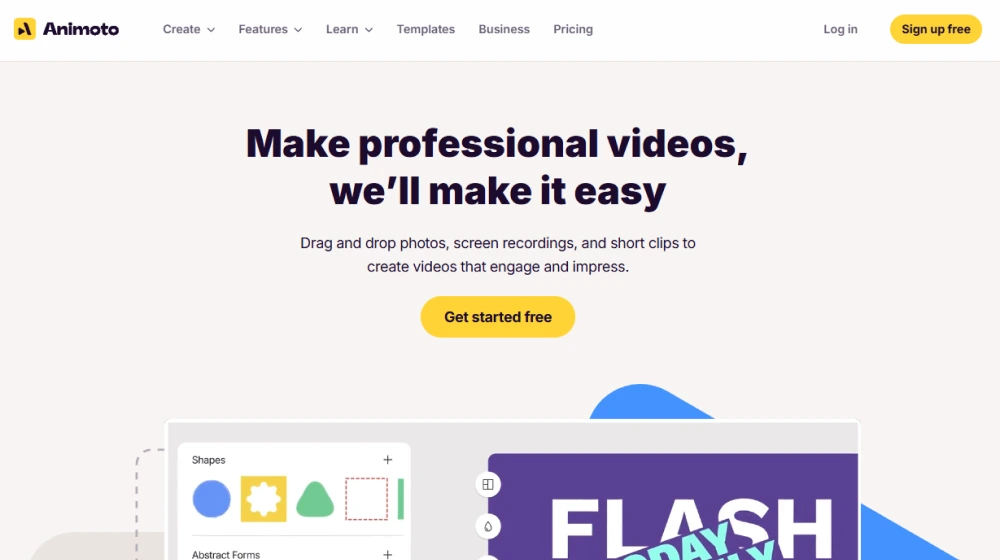
Key Features by Capability
- Drag & Drop Video Builder: Intuitive editor for arranging assets, trimming clips, and customizing on-brand themes.
- Marketing Templates: Professionally designed, purpose-built templates focused on promos, ads, testimonials, and social stories.
- Brand Kit: Store logos, palettes, and custom fonts for rapid on-brand content.
- One-Click Social Sharing: Native publishing to Facebook, Instagram, YouTube, and LinkedIn.
- Stock Library: Access to a vast library of licensed photos, footage, and music tracks.
- AI Features: Automated video editing, smart cropping, auto-subtitles, and suggested formats for each channel (2024+).
- Team Collaboration: Shared folders, multi-user roles, and workflow comments (higher plans).
- Analytics: Engagement and performance stats for each published video (select plans).
- HD Exports & Optimized Formats: Choose between different resolutions and aspect ratios for web and mobile.
Workflow & User Experience
- Onboarding leads new users through project creation with contextual tips.
- Asset management organizes images, videos, and brand elements for instant access.
- Live previews and “undo” functionality streamline the editing cycle.
- Collaboration tools enable team review and feedback within the platform (Pro plans).
- Export in multiple formats, schedule releases, or publish directly to connected social accounts.
Animoto Pricing
| Plan | Who It’s For | Core Features | Pricing (mo.) |
|---|---|---|---|
| Basic | Solo entrepreneurs, hobbyists | Create unlimited videos, watermark required, SD quality | $16 |
| Professional | Small business owners, marketers | No Animoto branding, HD exports, brand kit, stock library, custom fonts | $29 |
| Professional Plus | Agencies, media teams | Everything in Pro, collaborative workspaces, advanced analytics, team seats | $79 |
| Enterprise | Large orgs, high-volume users | Custom onboarding, SSO, premium support, flexible branding | Custom/Quote |
Comparison: Animoto vs. Top Video SaaS
| Platform | Main Focus | Custom Branding | AI Editing | Price (starting) |
|---|---|---|---|---|
| Animoto | Marketing & social video | Yes | Yes | $16/mo |
| Canva Video | All-in-one design & video | Yes | Basic | $13/mo |
| InVideo | Automated reels, AI | Yes | Yes | $15/mo |
| Promo.com | Marketing video ads | Limited | No | $29/mo |
| Lumen5 | AI text-to-video | Yes | Yes | $19/mo |
Pro Tip: Use Animoto’s template search to find pre-optimized layouts for each social channel, saving hours on creative setup and resizing. Repurpose one project into many assets effortlessly.

Integrations
- Direct exports to Facebook, Instagram, YouTube, LinkedIn
- Stock asset libraries (Getty Images, Storyblocks)
- Native Zapier integration for automation (e.g., auto-generate videos from CRM events)
- Embeddable video widgets for Shopify and WordPress


Pros & Cons
| Pros | Cons |
|---|---|
|
|
Final Thoughts
For SMBs seeking rapid video production for marketing and engagement, Animoto stands out with its robust template system, AI acceleration, and direct-to-channel publishing. While advanced editors may seek deeper timeline tools, most business users will benefit from Animoto’s blend of speed and quality. Three-point connected support, scalable pricing, and a future-forward roadmap position Animoto as a cornerstone for agile digital marketing strategies through 2026.
Animoto FAQ
Yes, it meets GDPR standards and supports HIPAA via a signed BAA on eligible plans.


Yes, white-label portals support your domain, favicon, and brand visuals.
Ideal for consultants, service firms, and SMBs needing streamlined collaboration.
No—integrates with both. Stripe powers payments; QuickBooks handles accounting.
All plans include chat/email; premium tiers add onboarding and 1:1 setup help.
This post may contain affiliate links and we may earn commissions. Learn more in our disclosure.