
For teams and SMBs seeking data-driven performance and transparency, Toggl has emerged as a time tracking SaaS platform focused on frictionless adoption and actionable insights. As of 2026, Toggl positions itself not only as a tracker, but as the engine for profitability and team balance in modern workflows.
From Launch to 2026: The Toggl Track Timeline
- 2006–2012: Founded as a simple desktop time tracker for freelancers.
- 2013–2018: Major focus on SaaS transformation and cloud reporting. Broadened to SMBs and agencies.
- 2019–2022: Intuitive UX revamp. Added mobile/web/desktop parity, automation, and robust reporting.
- 2023–2024: Workload analytics, 100+ third-party integrations, and open API drive new use-cases for remote, in-office, and blended teams.
- 2026: Advanced reporting, anti-surveillance privacy, and enterprise-grade onboarding. Toggl positions itself as the gold standard for effortless, trusted time data management.
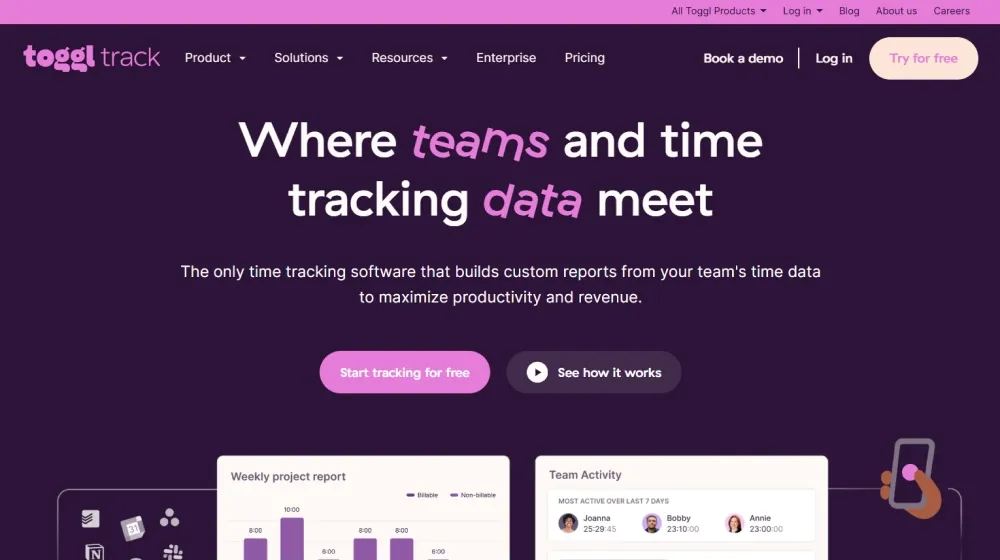
Key Features of Toggl Track
- Time Tracking Across Channels: Unified tracking from desktop apps, web, browser extension, and mobile, allowing seamless capture anywhere work happens.
- Calendar View & Automated Entry: Integrates Google/Outlook Calendars to auto-populate tasks for rapid and accurate timesheet completion.
- 100+ Integrations & Open API: Direct integrations with tools like Jira, Asana, Salesforce, Trello, Slack, plus a robust REST API for custom automation.
- Custom Reporting & Analytics: Powerful, real-time reporting on team productivity, profitability, and client billing data—no spreadsheet exports or custom code required.
- Anti-Surveillance Ethos: No screenshots or invasive monitoring—time data is private by default, with opt-in activity and user-centric data controls.
- Enterprise-Ready Onboarding: Dedicated success managers, volume onboarding, and advanced permission models for org-wide deployments.
- Workload & Utilization Insights: Visual dashboards balance project assignments; prevent overload.


Workflow & User Experience
- Super-fast onboarding: teams reported 100% adoption rates due to friendly, zero-config UI.
- Easy switching between manual, calendar-based, or automated modes for tracking.
- Personalized dashboards for team leads, managers, or individual contributors.
- Extensive color-coded reporting with drill-down, exporting, and sharing links for clients/executives.
- Mobile parity: full-featured iOS/Android apps for hybrid and field teams.
- Role-based access: tailor visibility, editing, and project permissions across departments.
Toggl Pricing
| Plan | Key Features | Pricing |
|---|---|---|
| Free | Unlimited tracking, calendar view, basic reports, 5 users | $0/mo |
| Starter | Time rounding, billable rates, project templates, integrations | $10/user/mo |
| Premium | Advanced reporting, team utilization, time audits, priority support | $20/user/mo |
| Enterprise | Custom onboarding, SSO, dedicated CS manager, API, volume pricing | Custom/Quote |
Toggl vs Other Time Tracking SaaS
| Feature | Toggl | Harvest | Clockify | Hubstaff | Timely |
|---|---|---|---|---|---|
| User Experience | Intuitive, no training, frictionless UI | Good | Basic/minimalist | Intermediate (adds screenshot monitoring) | AI-focused, moderate learning curve |
| Privacy/Surveillance Policy | Strict anti-surveillance, user-controlled | Traditional | Standard | Enables screenshots/monitoring | No monitoring |
| Custom Reporting & Analytics | Highly customizable, no export required | Basic | Minimal | Basic | AI-based |
| Integrations & API | 100+ native, robust API | 60+ | 20+ limited | 30+ with paid | Limited |
| Adoption & Onboarding | 100% in large teams, enterprise support | Good | Quick, for basic use | Variable | Requires training |
| Unique Differentiator | No screenshots, instant adoption, actionable data | Classic project billing | Volume/free entry | Employee monitoring | AI and memory tracking |
| Starting Price | $0 (free) | $0 (trial) | $0 | $5/user/mo | $9/user/mo |
Pro Tip: Teams switching from traditional trackers see sharp boosts in compliance and report accuracy by leveraging calendar and app data sync in Toggl—no more manual timesheet chasing.

Integrations
- Native support for Slack, Jira, ClickUp, Asana, Trello, Salesforce, Monday.com, Notion, Google/Outlook calendar, QuickBooks, Xero, Zapier.
- Extensive public API for deeper automation and workflow design.
- Browser add-ons streamline real-time tracking from Chrome and Edge.
Pros & Cons
| Pros | Cons |
|---|---|
|
|
Final Thoughts
For entrepreneurs, leaders, and evaluators seeking more than basic time logs, Toggl stands out in 2026 as the trusted SaaS for driving team adoption, revenue, and transparency. Its fierce stance on privacy and no-nonsense UX creates a foundation for success whether you run a consulting outfit, creative agency, or distributed enterprise. Toggl is not just a tracker—it’s the catalyst for agile, people-centric productivity.
Toggl FAQ
Yes, it meets GDPR standards and supports HIPAA via a signed BAA on eligible plans.
Yes, white-label portals support your domain, favicon, and brand visuals.
Ideal for consultants, service firms, and SMBs needing streamlined collaboration.
No—integrates with both. Stripe powers payments; QuickBooks handles accounting.
All plans include chat/email; premium tiers add onboarding and 1:1 setup help.




