

MindManager has evolved into a powerhouse for mind mapping and project visualization, putting individuals and teams in control of even the most complex workflows. As 2025 approaches, MindManager offers entrepreneurs and SMBs robust features to transform raw ideas into structured, actionable plans without technical overhead.
From Launch to 2026: MindManager Timeline
- 1990s: MindManager launches as a classic mind mapping tool for Windows.
- 2010-2015: Expands into project management use cases and adds Mac compatibility.
- 2020-2023: Cloud/web versions, modern interface, real-time collaboration, deep integrations with Microsoft Teams, SharePoint, and Jira.
- 2024-2025: Unified platform for individuals, SMBs, and enterprises—driven by visual-first productivity, AI acceleration, and cross-device ease-of-use.
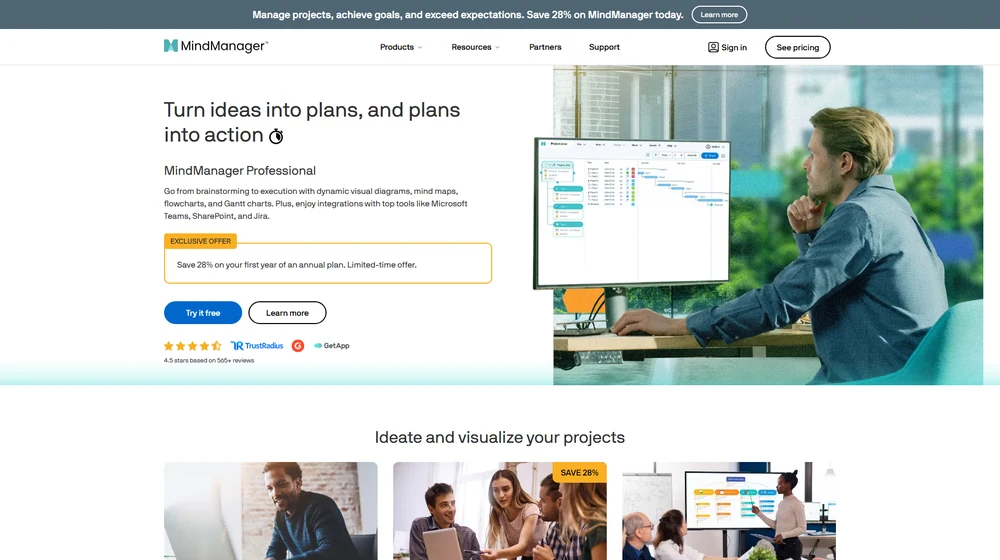
Key Features
- Advanced Mind Mapping: Brainstorm and structure ideas visually for better clarity and retention.
- Dynamic Diagramming: Create process maps, flowcharts, timelines, workflow diagrams, and Gantt charts—move fluidly from ideation to execution.
- Integration Ecosystem: Out-of-the-box connections with Microsoft Teams, SharePoint, Jira, and more, enabling in-context project updates.
- Collaboration Tools: Real-time co-editing, commenting, sharing, and permission controls for distributed teams or external partners.
- Task & Project Management: Assign resources, set deadlines, monitor progress, and visualize dependencies—replace static spreadsheets with living maps.
- Templates & Branding: Dozens of diagram types, customizable themes, and white-labeling on enterprise plans.
- Cross-Platform Access: Desktop (Windows, Mac), browser-based Essentials edition, and mobile access for always-on productivity.
- Security & Compliance: Enterprise-grade controls; supports GDPR, SSO, and deployment flexibility.


Workflow & User Experience
- Start from a blank canvas or a library of guided templates (mind maps, concept maps, project plans, knowledge maps).
- Drag-and-drop interface for task nodes, relationships, notes, links, and attachments.
- Switch seamlessly between visual views (map, tree, timeline, Gantt) as projects evolve.
- Teams can co-edit, track status, and automate updates via integrations.
- Permissions, comments, and notifications keep stakeholders aligned while reducing email back-and-forth.
- Export to PDF, HTML, Office documents, and partner tools for downstream workflows.
MindManager Pricing
| Plan | Key Features | Pricing |
|---|---|---|
| Essentials | Web-based mind mapping, core diagrams, individual use | $99/year (est.) |
| Professional | Full desktop/web, advanced visualization, project management, integrations | $179/year (listed) |
| Enterprise | Team management, SSO, admin controls, priority support, white-label | Custom/Quote |
| Education | Discounted for students & educators, full feature set | Discounted/Varies |
MindManager vs Alternatives
| Solution | Best For | Notable Features | Price Range |
|---|---|---|---|
| MindManager | SMBs, teams, consultants, educators | Full diagram suite, project management, MS integrations, real-time collab | $99–$179+/year |
| Xmind | Casual mind mapping, students | Free tier, basic diagrams, desktop/mobile | Free–$129/year |
| Lucidchart | Diagramming in org charts/UX, large teams | Flowcharts, data linking, API, integrations | $0–$144/year |
| Miro | Brainstorming, workshops, remote teams | Infinite whiteboards, templates, integrations | $0–$192/year |
| MindMeister | Online mind mapping, collaboration | Mind maps, basic exports, integrations | $0–$72/year |
Pro Tip: Use MindManager to transform recurring client onboarding or team project launches into visual templates. This accelerates consensus, shortens turnaround, and eliminates spreadsheet chaos.

Integrations
- Microsoft Office Suite (Teams, Outlook, SharePoint)
- Jira (planning, issue tracking)
- Zapier and cloud automation tools
- Export/import with Excel, Project, and more
- API access (Enterprise plan)
Pros & Cons
| Pros | Cons |
|---|---|
|
|
Final Thoughts
MindManager stands out as the visual productivity platform for 2025, moving far beyond standalone mind mapping. With a modern, integration-friendly foundation and ongoing investment, it’s a compelling option for those who need true project clarity and collaboration. For teams ready to upgrade from static planning tools, MindManager delivers a mature, enterprise-ready experience with flexibility, depth, and responsive support.
MindManager FAQ
Yes, it meets GDPR standards and supports HIPAA via a signed BAA on eligible plans.
Yes, white-label portals support your domain, favicon, and brand visuals.
Ideal for consultants, service firms, and SMBs needing streamlined collaboration.
No—integrates with both. Stripe powers payments; QuickBooks handles accounting.
All plans include chat/email; premium tiers add onboarding and 1:1 setup help.




