
Entrepreneurs and SMB owners seeking a streamlined, professional desktop publishing (DTP) experience on Mac have increasingly turned to Swiftpublisherr—a modern page layout platform designed to deliver pro-grade results without the steep learning curve or price tag of legacy solutions.
From Launch to 2026: The Swiftpublisherr Timeline
- Initial Release: Swiftpublisherr launched as a native Mac alternative to InDesign and XPress, focusing on intuitive usability for non-designers.
- Major Features Added: Iterative upgrades brought dynamic data fields, rich clipart, master pages, and two-page spread editing—key capabilities found in top-tier DTP tools.
- Template & Asset Growth: The bundled library climbed to 500+ templates and 2,000 clipart images. Advanced integrations (like Art Text 4 for custom headings) enhanced design versatility.
- 2025 Direction: Recent updates focus on macOS 26 support, UI refinements, and expanding mobile—an iPhone/iPad version is currently in pre-release, broadening cross-device reach.
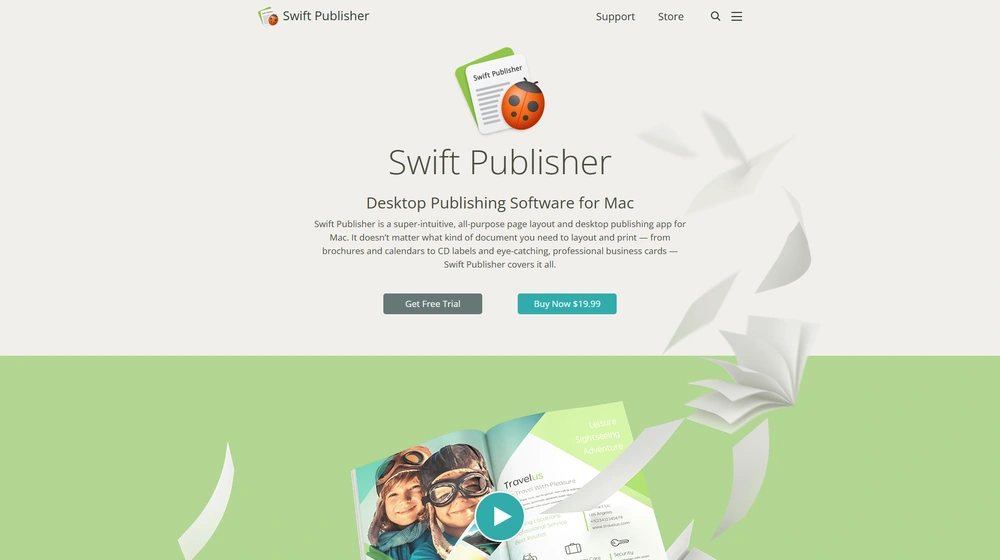
Key Features: What Sets Swiftpublisherr Apart?
- 500+ Predefined Templates — For brochures, business cards, catalogs, labels, flyers, calendars, and more—ready for rapid customization.
- Powerful Design Toolkit — Drawing tools, gradients, masks, built-in image editing, unlimited layers, and advanced text utilities (vertical, circular, and flowing text).
- Advanced Layout Capabilities — Two-page (spread) view/editing, master pages for common elements, and batch tools (mail merge, serial numbers, barcodes).
- Rich Asset Libraries — 2,000+ clipart images, 100+ masks, and an optional Extras Pack for 40,000 more assets and bonus fonts.
- Seamless Media Import — Pull from Apple Photos, iTunes, Finder folders; extensive label/paper/printer support for Avery, Dymo, Zebra, and more.
- Export Flexibility — Output to PNG, JPEG, TIFF, EPS, and PDF—including options for CMYK/RGB, bleed, and text-to-curves for perfect print-shop compatibility.
- Customizable Text Styles — Save and reapply text presets across documents with one click.
- Platform & Language Support — macOS 10.12+, optimized for Apple Silicon, available in English, German, Spanish, French, Italian, and Japanese.
- Business-Ready — Return policy (30-day money-back), regular updates, and direct support—plus robust batch output for SMB workflows.


Workflow & User Experience
- Onboarding: Immediate productivity with an uncluttered interface and contextual help—no formal design background required.
- Project Creation: Start fast by selecting templates or begin from scratch; leverage intuitive drag-and-drop for layout building.
- Design Iteration: Combine text, images, and vector graphics freely; apply unlimited layers and master pages to maintain consistency across multi-page documents.
- Media & Data Integration: Import workspace assets directly from Apple Photos/iTunes or bring in spreadsheet/contact data for batch labels and mail merge.
- Collaboration & Export: Save in editable format, export as print-ready PDFs, or generate images for social and web—compliant with print shop standards, including CMYK and bleed.
Swiftpublisherr Pricing
| License | Key Features | Price |
|---|---|---|
| Standard (macOS) | All core features, 500+ templates, two-page spreads, master pages, advanced text & export, regular updates | $19.99 one-time (perpetual) |
| Extras Pack | 40,000 additional images & 100+ fonts (add-on) | $9.99 (optional) |
| Mobile (iOS/iPadOS) | Coming in 2026 (feature set to be announced) | TBA |
Swiftpublisherr vs. Alternatives
| Product | Best For | Typical Pricing | Notable Differences |
|---|---|---|---|
| Swiftpublisherr | Mac entrepreneurs, SMBs, and pros wanting value & simplicity | $19.99 one-time | Large template library, perpetual license, Mac-native, rapid onboarding |
| Adobe InDesign | Creative professionals; advanced publishing needs | $20.99+/mo (subscription) | Deeper feature set, collaborative workflow, steeper learning curve |
| Affinity Publisher | Agencies, designers wanting a pro suite (Mac/Win) | $69.99 one-time | Higher complexity, deeper typography, Windows support |
| Canva Pro | Basic web layouts/social content | $12.99/mo | Web-based; not full-featured for DTP, but extensive stock library |
Pro Tip: SMBs can create print-ready marketing materials (brochures, flyers, cards) in-house—saving thousands by replacing agency fees with Swiftpublisherr‘s one-time license. Just drag, drop, and export to PDF or image for professional-grade results.

Integrations
- Apple Photos, iTunes: Native import of media for seamless use within designs.
- Printer Ecosystem: Broad printer label compatibility (Avery, Dymo, Zebra, Memorex, Neato, Canon/Epson/HP disc tray, etc.)
- Art Text 4 (Add-On): Advanced heading/text integration for elevated branding needs.
- Apple Contacts: Mail merge and batch field imports for bulk output.
Pros & Cons
| Pros | Cons |
|---|---|
|
|
Final Thoughts
If you need to produce everything from business cards and flyers to catalogs and labels—without the complexity and ongoing costs of traditional DTP suites—Swiftpublisherr stands out as a Mac-first, budget-friendly solution. Its perpetual license model, deep template library, and SMB-oriented features offer significant value, making it a strong contender for entrepreneurs and teams looking to maximize output and minimize operational friction.
Swiftpublisherr FAQ
Yes, Swiftpublisherr meets GDPR standards. HIPAA support is typically not relevant for DTP, but users managing sensitive data should review export options accordingly.
No—Swiftpublisherr is desktop-native for Mac and does not offer web-based white-labeling or domain integration.
It’s ideal for entrepreneurs, consultants, SMBs, authors, and any Mac user needing flexible, in-house desktop publishing without steep costs.
No—Swiftpublisherr does not handle accounting or payment processing, but works alongside invoicing or business solutions for branded collateral creation.
All licenses receive free updates, email support, and detailed documentation. Priority support is not tiered; direct guidance is offered via website and email.




