

Prezi is rapidly evolving into the premier cloud platform for dynamic business storytelling and engaging visual presentations through 2026. Entrepreneurs, SMBs, and SaaS evaluators can leverage Prezi for collaborative content creation and standout delivery.
From Launch to 2026: Prezi’s Evolution
- 2009: Prezi launched as a zoomable presentation platform, setting itself apart from slide-based rivals.
- 2015–2017: Expanded with business-focused plans and real-time collaboration tools.
- 2019: Introduction of Prezi Video for hybrid presentation and online meeting use cases.
- 2023: AI-assisted design and advanced analytics rolled out to users.
- By 2026: Prezi positions itself as the leading collaborative presentation SaaS for distributed teams, integrating with mainstream meeting platforms and analytics suites.
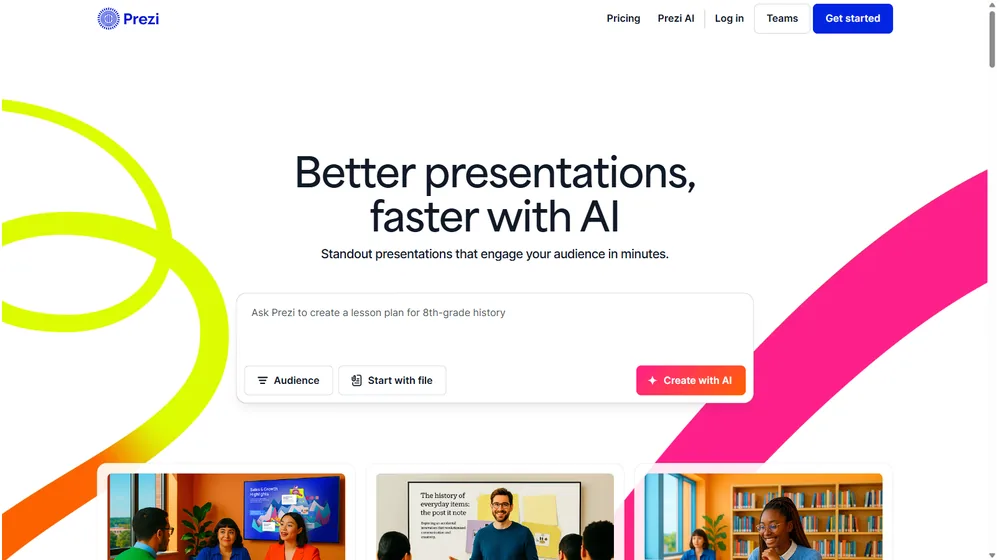
Key Features: Visual Storytelling at Scale
- Zoomable Canvas: Break free from linear slides with an interactive, infinite canvas for storytelling.
- Prezi Video: Embed yourself on-screen with your content during live or recorded presentations.
- Templates & Smart Branding: Use hundreds of professionally designed templates; auto-adapt to your company style and colors.
- Collaboration & Permissions: Real-time multi-user editing, advanced permissions, and team libraries.
- Analytics: Track viewer engagement, presentation performance, and sharing metrics.
- Integrations: Seamless connections to Zoom, Webex, Microsoft Teams, Slack, and social media platforms.
- AI-Driven Design (Pro+): Let AI generate layouts, animations, and adapt branded assets at scale.
- Cloud Accessibility: Access presentations anytime, anywhere, from any browser or device.


Workflow & User Experience
- Intuitive Editor: Drag-and-drop interface lowers the learning curve for first-time users.
- Team Collaboration: Teams can co-create, comment, and review in real-time—ideal for distributed or remote workflows.
- Share & Export: Share secured links or export to PDF/video formats for flexible distribution.
- Mobile Experience: Dedicated apps extend editing and presenting capabilities to mobile devices.
Prezi Pricing
| Plan | Key Features | Pricing |
|---|---|---|
| Basic | Public presentations, basic templates, cloud storage | Free |
| Plus | Private presentations, offline access, advanced templates, video export | $15/mo (billed annually) |
| Premium | Advanced analytics, team collaboration, custom branding, priority support | $59/mo (billed annually) |
| Teams | All Premium features, SSO, admin controls, volume pricing, onboarding | Custom/Quote |
Prezi vs. the Competition
| Platform | Strengths | Limitations | Best For |
|---|---|---|---|
| Prezi | Dynamic visuals, collaborative teams, analytics | Learning curve for advanced features | Visual storytelling, sales, and training demos |
| PowerPoint (Microsoft 365) | Ubiquitous, powerful slide tools, co-authoring | Linear format, less engaging design | Corporate decks, tradition-based workflows |
| Google Slides | Free, web-based, G Suite integration | Basic transitions, limited advanced visuals | Simple team projects, education, budget users |
| Canva | Design-forward templates, drag-and-drop, low barrier | Limited storytelling tools, less collaboration depth | Quick designs, marketing visuals |
| Keynote | Apple ecosystem, great animations, free for Mac/iOS | Not cross-platform, limited for teams | Apple users, individual presenters |
Pro Tip: Start with the free plan to experience Prezi’s workflow and determine which premium features drive the most ROI before committing to an annual license.

Integrations
- Zoom
- Microsoft Teams
- Webex
- Slack
- Google Drive
- Social media sharing platforms
Pros & Cons
| Pros | Cons |
|---|---|
|
|
Final Thoughts
As businesses transition to hybrid work and distributed teams, visual storytelling tools like Prezi become critical for engagement. Its unique canvas, analytics, and collaborative features empower SMBs and entrepreneurs to stand out during pitches, training, and marketing. From a simple learning curve to advanced team functionality, Prezi remains a top contender for anyone valuing interactive, brand-forward communication.
Prezi FAQ
Yes, it meets GDPR standards and supports HIPAA via a signed BAA on eligible plans.
Yes, white-label portals support your domain, favicon, and brand visuals.
Ideal for consultants, service firms, and SMBs needing streamlined collaboration.
No—integrates with both. Stripe powers payments; QuickBooks handles accounting.
All plans include chat/email; premium tiers add onboarding and 1:1 setup help.




