

Otter ai has rapidly evolved into one of the top AI-powered meeting assistants for entrepreneurs, SMBs, and modern teams. If you’re evaluating automation for note-taking, real-time transcription, and actionable meeting insights, Otter ai stands out for its continuous innovation and ease of adoption.
From Launch to 2026: Otter ai’s Growth Timeline
- 2016–2019: Otter ai launches as an audio-to-text transcription SaaS, targeting journalists and academic users.
- 2020: Demand surges as remote work expands; product introduces real-time collaboration and highlights.
- 2022: Advanced AI summarization, meeting integrations (Zoom, Google Meet, Teams), and embedded action items roll out.
- 2023-24: OtterPilot joins meetings automatically, adding live capture, Q&A, and slide recognition—expanding from basic notes to a full productivity copilot.
- 2025: Otter ai cements its leadership as a cross-platform, no-code meeting intelligence hub for SMBs and fast-growth companies.
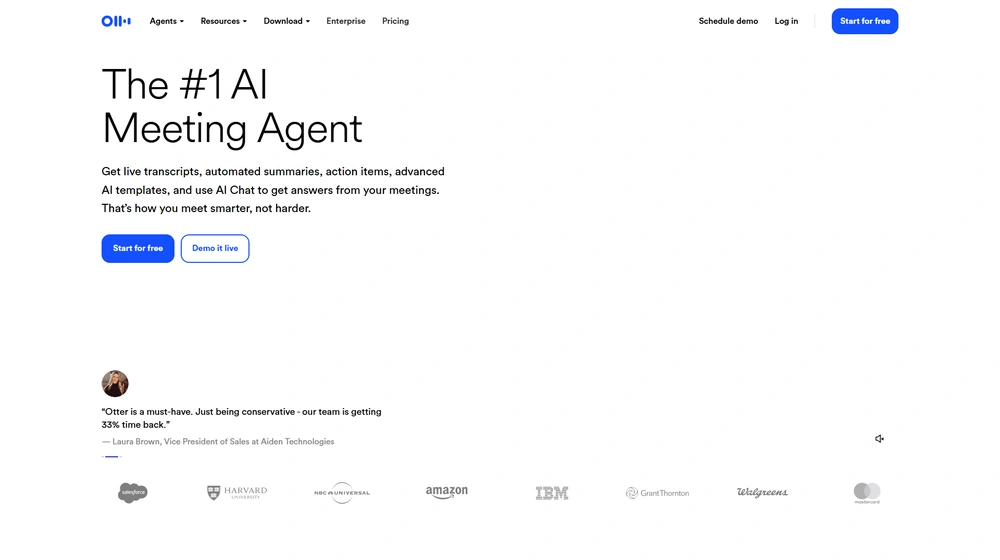
Key Features: Otter ai 2025
- AI Transcription: Instant, highly accurate audio and video-to-text in 40+ languages and accents.
- Meeting Summaries & Action Items: Automated summaries, action item extraction, highlights, and smart search across all meetings.
- Real-Time Collaboration: Teammates comment, highlight, and assign action items live during the meeting.
- OtterPilot Copilot: Auto-join for online meetings, automated slide capture, content Q&A, and rich post-call analytics.
- Otter AI Chat: Natural-language search and Q&A on meeting transcripts (“ChatGPT for your meetings”).
- Multi-Platform: Web, iOS, Android. Seamless integration with Zoom, Google Meet, MS Teams.
- Security & Compliance: SOC2/ISO, optional HIPAA BAA, granular sharing controls.


Workflow & User Experience
- Seamless Capture: OtterPilot auto-joins calls, transcribes, summarizes, and uploads slides with no user intervention.
- Live Engagement: Team can add notes, flag follow-ups, and assign tasks within the transcript.
- Content Reuse: Turn meeting highlights into emails, shareable notes, or integrate with your CRM/workstream.
- Mobile-First UX: Dedicated mobile apps deliver full feature parity and notifications.
Otter ai Pricing
| Plan | Key Features | Pricing |
|---|---|---|
| Basic (Free) | 600 minutes/mo, limited integrations, live notes | $0 |
| Pro | 6,000 minutes/mo, advanced summaries, file imports, custom vocabulary | $16.99/mo (est.) |
| Business | Enterprise-grade security, admin controls, integrations, 2FA, SSO, more minutes | $30+/mo/user (est.) |
| Enterprise | Custom volume, onboarding, priority support, compliance options | Custom quote |
Otter ai vs Leading Alternatives
| Solution | Best Use | Key Differentiator | Notable Limitation |
|---|---|---|---|
| Otter ai | SMB teams, consultants, meeting-heavy orgs | Full AI assistant, action items, integrations, real-time collaboration | Monthly transcription limits on lower tiers |
| Fireflies.ai | Sales and support | CRM automation | Fewer live features; some reports require manual review |
| Rev.com | One-off, human-quality transcripts | Human/AI hybrid delivery | Manual process, no workflow automation |
| Trint | Media/publishing | Industry-specific annotation tools | Steeper learning curve for teams |
Pro Tip: Power users can link Otter ai to their calendar for auto-joining meetings—never miss an action item again.

Integrations
- Native support: Zoom, Google Meet, Microsoft Teams
- Calendar: Google/Outlook auto-invite, meeting triggers
- File upload: Audio/video import and export to platforms like Dropbox
- APIs and Zapier (Business/Enterprise plans)
Pros & Cons
| Pros | Cons |
|---|---|
|
|
Final Thoughts
Otter ai continues to lead the AI meeting assistant space by blending powerful automation, best-in-class collaboration features, and practical pricing for SMBs. For startups to scale-ups facing meeting overload, its set-and-forget workflow and action-oriented summaries deliver real value day one. Few platforms match its depth across transcription accuracy, live team engagement, and actionable analytics—all at a price that scales from solo founders to large organizations.
Otter ai FAQ
Yes, it meets GDPR standards and supports HIPAA via a signed BAA on eligible plans.
Yes, white-label portals support your domain, favicon, and brand visuals.
Ideal for consultants, service firms, and SMBs needing streamlined collaboration.
No—integrates with both. Stripe powers payments; QuickBooks handles accounting.
All plans include chat/email; premium tiers add onboarding and 1:1 setup help.




