

If you’re seeking a dependable, proven password manager to protect your digital life or business, Keeper Security deserves serious consideration. In 2026, it stands out not just for robust encryption but also workflow-friendly features, integrations, and tiered plans tailored for solo users, families, and modern teams.
From Launch to 2026: Keeper Security’s Growth Timeline
- 2011-2016: Keeper launches as one of the earliest cross-platform password vaults, focusing on individual and mobile-first security.
- 2017-2020: Expands to families and SMBs, introduces shared vaults, breach monitoring (BreachWatch), and file storage add-ons.
- 2021-2024: Keeper reaches millions of users globally; business offerings mature with team folders, admin controls, and SSO integrations.
- 2025: Streamlined onboarding, new business starter plan, enhanced reporting, and expanded concierge support.
- 2026: Keeper cements its role as an all-in-one credential and secrets management platform with AI-powered risk insights and broad compliance support, retaining top user ratings and frequent product updates.
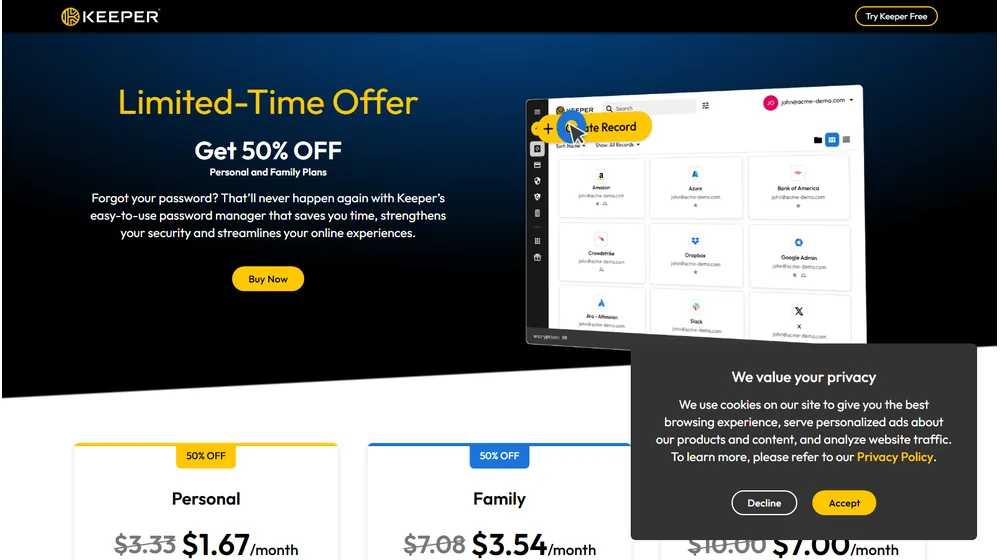
Key Features
- Zero-Knowledge Vaults: All vault data is encrypted client-side—only you control access, not even Keeper Security.
- Multi-Device Sync & Autofill: Access and autofill credentials across desktop, mobile, browsers, and web app. Unlimited devices on all plans.
- Password & Passkey Management: Securely store unlimited logins, notes, payment info, and even passkeys (for passwordless sites).
- Biometric Login: Supports Face ID, Touch ID, and Windows Hello on compatible devices.
- BreachWatch Monitoring: Optional add-on scans for compromised credentials and dark web exposure.
- Shared Vaults (Family/Business): Share folders, manage permissions, and onboard team or family members with dedicated vaults.
- Concierge Service: Opt for 1:1 onboarding and personalized support on select plans or as an add-on.
- Reports & Compliance: Business plans include audit logs, user activity reports, and compliance-ready features (GDPR, HIPAA support).


Workflow & User Experience
- Quick Setup: Sign up, install browser extension or mobile app, and import passwords in minutes.
- Vault Organization: Group credentials by folders, tags, and types; granular search and filtering makes bulk management easy.
- KeeperFill Autofill: One-click autofill works reliably across browsers and devices, reducing manual entry time.
- Collaboration: Families and teams can share passwords or folders, with robust granular controls over who can view, edit, or share.
- Instant Alerts: Get notified of security issues, weak/reused passwords, or breaches needing urgent attention.
Keeper Security Pricing
| Plan | Key Features | Pricing |
|---|---|---|
| Personal | Single user, unlimited devices/passwords, autofill, secure sharing | ~$2.49/mo (with 50% off, billed annually; regular: ~$4.99/mo) |
| Family | Includes everything in Personal plus 5 vaults, 10GB file storage, advanced sharing | ~$5.99/mo (with 50% off, billed annually; regular: ~$11.99/mo) |
| Business Starter | Min 5 users, admin dashboard, team folders, reporting, free Family Plan for members | ~$14.99/mo for 5 users (30% off first year; regular ~$21.42/mo) |
| Add-ons | BreachWatch, Secure File Storage, Concierge Setup, advanced integrations | Optional, varies by add-on |
Keeper Security vs. Alternatives
| Keeper Security | Dashlane | LastPass | 1Password |
|---|---|---|---|
|
|
|
|
Pro Tip: Use Keeper’s BreachWatch add-on for proactive threat alerts—especially useful for businesses or families concerned about leaked credentials on the dark web.

Integrations
- Browser extensions (Chrome, Firefox, Edge, Safari)
- Mobile apps (iOS, Android)
- 2FA/MFA tools (supports TOTP, hardware keys like YubiKey)
- SSO/SAML integration (Business plans)
- Popular file storage and cloud productivity tools (limited with premium add-ons)
Pros & Cons
| Pros | Cons |
|---|---|
|
|
Final Thoughts
Keeper Security maintains its place as a front-runner in the password management space. Its feature depth, continuous innovation, and stellar security record make it a reliable choice whether you’re an entrepreneur, family, or business grappling with credential sprawl and compliance headaches. For those prioritizing usability, compliance, and top-rated support, Keeper’s 2026 offerings deliver security without complexity.
Keeper Security FAQ
Yes, it meets GDPR standards and supports HIPAA via a signed BAA on eligible plans.
Yes, white-label portals support your domain, favicon, and brand visuals.
Ideal for consultants, service firms, and SMBs needing streamlined collaboration.
No—integrates with both. Stripe powers payments; QuickBooks handles accounting.
All plans include chat/email; premium tiers add onboarding and 1:1 setup help.




