

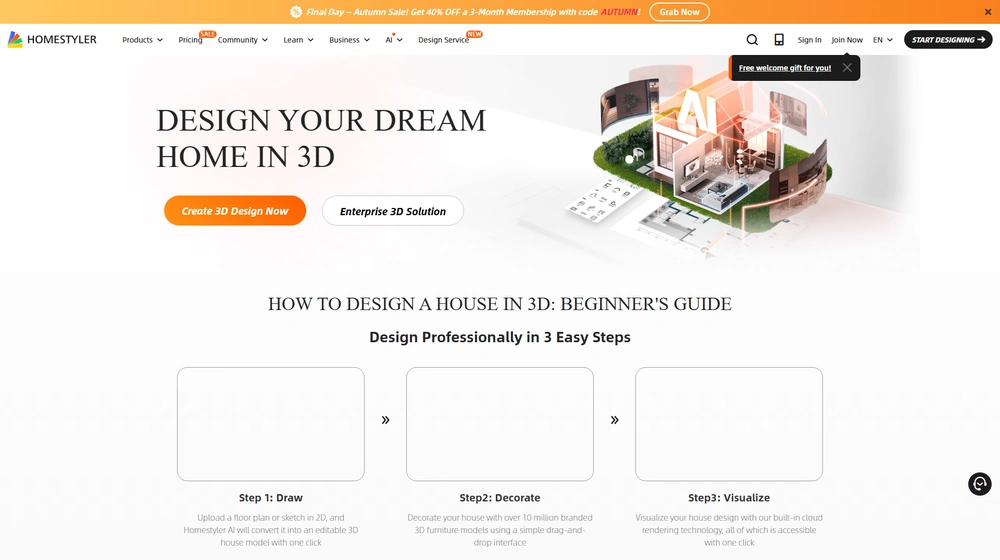
Homestyler has rapidly evolved into one of the most advanced cloud-based floor plan and 3D interior design platforms for SMBs, design pros, educators, and growing real estate teams. In this review, we uncover how Homestyler leverages AI, a vast model library, and quick rendering to give non-technical users the power to ideate, refine, and present world-class room layouts—all directly from the browser.
From Launch to 2026: The Homestyler Evolution
- 2009–2017: Homestyler debuts as a basic online design visualizer, mainly for DIY homeowners and hobbyists. Limited library, 2D-first.
- 2018–2022: Major investments expand 3D tools, add web-based rendering, and bring in real-time furniture catalogs. SaaS subscriptions launched. Target audience expands to professionals and enterprise.
- 2023–2024: Introduces advanced cloud rendering, AI-powered floor plan conversion, expanded mobile apps, and customizable furniture models. Global user base surpasses 20 million. Launches integration-ready public APIs.
- 2025: Homestyler pivots beyond pure design—now an all-in-one platform for collaborative floor planning, rapid visualization (images, videos, panoramas), and project handoff. AI tools, model upload, and workflow automation become standard, supporting work from SMBs up to global design studios.
Key Features at a Glance
- AI-powered 2D to 3D floor plan conversion (supports DWG, image, PDF uploads)
- Instant cloud rendering—photorealistic images, 360° panoramas, and walkthrough videos
- 1,000,000+ drag-and-drop furniture and material models, or upload your own
- Real-time design collaboration and versioning for teams
- Advanced tools for custom furniture modeling—no third-party CAD needed
- Mobile app for iOS/Android: seamless sync and touch editing
- Exports to PDF, JPG, PNG, DWG; print to scale for client deliverables
- White-label, custom branding, and cloud storage included in business tiers
- Compliant with ISO/IEC 27001:2022 for data security


Workflow & User Experience
- Start: Upload blueprints, import photos, or start from templates. AI scans and reconstructs 3D structures within minutes.
- Design & Decorate: Drag and drop objects, edit materials, and swap finishes with a click. Use customizable parametric models for cabinetry, windows, and more.
- Visualization: Generate images, animated walkthroughs, or interactive panoramas—all rendered in the cloud, freeing your local machine.
- Share & Export: Collaborate in real time with other users, export professional deliverables in multiple formats, and integrate assets into client portals.
- Mobile Editing: Make real-time changes on tablet or smartphone; all project files sync across desktop and mobile automatically.
Homestyler Pricing
| Plan | Key Features | Pricing (USD/mo, est.) |
|---|---|---|
| Basic (Free) | 2D/3D floor plans, basic library, cloud saves, watermarked renders | $0 |
| Pro | Full 3D modeling, unlimited renders, 1M+ furniture models, commercial use rights | $4.90 |
| Master | High-res (4K) renders, advanced team collaboration, priority support | $9.90 |
| Team | All Master features, multi-user/team admin tools, centralized billing | $19.60 |
| Styler | Personal use, basic modeling, entry-level features | $3.90 |
| Add-ons | Extra rendering credits (HD/4K), AIGC tools, custom content creation | Starting at $0.99/credit |
Homestyler vs Competitors
| Feature | Homestyler | SketchUp | Floorplanner |
|---|---|---|---|
| Cloud-Based, No Download | Yes | No | Yes |
| AI Blueprint Scanning | Yes | No | Limited |
| Furniture Model Library | 1M+ | Thousands (via 3D Warehouse) | Modest |
| Photorealistic Rendering | Cloud, 4K | Plugin/Local | Limited |
| Mobile Editing | iOS/Android | Partial | Yes (basic) |
| Custom Model Upload | Yes | Yes | Paid/Restricted |
| Team Collaboration | Real-time | Add-on | Limited |
| Pricing | From $0 (paid = $4.90+) | $119+/yr | $5+/mo |
Pro Tip: Use the Homestyler demo or free plan to test cloud-based rendering speed and AI floor plan auto-conversion before switching your team’s workflow.

Integrations
- Import: AutoCAD DWG, image, PDF
- Export: PDF, PNG, JPG, DWG for CAD or client presentations
- RESTful API (business tiers) for integration with real estate, e-commerce, or client portals
- Cloud storage integrations (native)
- Mobile app sync (iOS/Android)
Pros & Cons
| Pros | Cons |
|---|---|
|
|
Final Thoughts
For SMBs, freelance designers, real estate teams, and even schools, Homestyler offers an impressive blend of power, visual polish, and ease of use in the 3D design SaaS landscape. It stands out for its AI features, huge object library, and cloud rendering—at a price point significantly below legacy tools. Its continuous rollout of collaboration and integration options positions Homestyler as a long-term partner as your business scales.
Homestyler FAQ
Yes, it meets GDPR standards and supports HIPAA via a signed BAA on eligible plans.
Yes, white-label portals support your domain, favicon, and brand visuals.
Ideal for consultants, service firms, growth-focused SMBs, and educational teams needing fast, collaborative visualizations.
No—integrates with both. Stripe powers payments; QuickBooks handles accounting and invoicing.
All plans include chat/email support and a knowledge base. Master/Team tiers add onboarding and 1:1 setup assistance.




