

Getscreen.me is evolving into the go-to browser-based remote desktop platform for businesses seeking fast, secure, and frictionless IT access—no tech expertise required. This review dives deep into the roadmap, features, and value proposition for companies considering Getscreen.me as of 2026.
From Launch to 2026: The Getscreen.me Evolution
- 2018: Launch—simple remote desktop sharing via browser, with agentless connectivity.
- 2020–2023: Introduced permanent remote access, self-hosted options, white-label capabilities, robust file management, and integration APIs.
- 2024: Polished for multi-industry SMB teams—added mobile support, control panel UX, session recording, and GDPR/HIPAA alignment. Competitive positioning against TeamViewer/AnyDesk intensified.
- 2025–2026: Focus on scalable security, mass deployment, advanced proxy/scalability, and deeper integration with SaaS stacks. Getscreen.me cements its niche as a cost-effective, branded, browser-first alternative for IT admins and customer support.
Key Features: Remote Desktop, Your Way
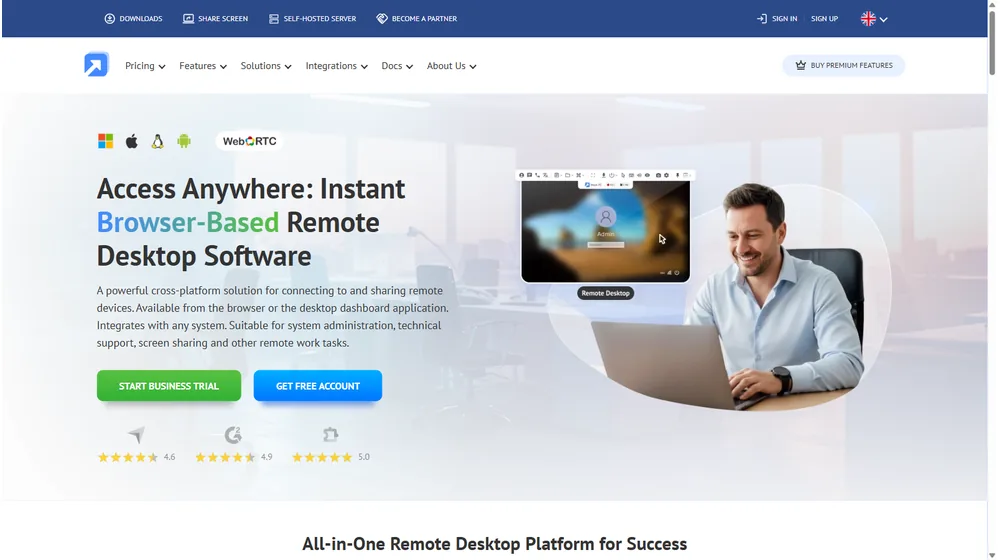
- Browser-First Remote Control: Access, monitor, and control devices on Windows, macOS, Linux, and Android—directly via browser or app.
- Permanent or One-Time Sessions: Serve ongoing IT needs or instant client support; switch modes as needed.
- Modern File Management: Dual-pane transfers and file management, drag-and-drop, and agent-based permissions.
- Terminal Mode: Command-line backend access without desktop session (supporting PowerShell, Bash, ZSH, etc.).
- Custom Branding: White-label UI, invitations, agent app, URLs, and customer-facing elements—ideal for consultants and MSPs.
- Android & Mobile: Full-featured remote support for leading Android tablet/phone devices, with gesture control and file transfer.
- Multi-User & Collaboration: Unlimited concurrent sessions, joint operators, session video, and hotkey support.
- Self-Hosted Option: Host Getscreen.me on your own infrastructure for privacy and compliance needs, adding proxy nodes for scale.
- Security: SSL encryption, RDP/WebRTC support, granular permissions, SSO/AD integration, and full audit log.


Workflow & User Experience
- Start a session with a link or browser button; no complex configuration required for users or clients.
- Centralized dashboard—control all connections, deploy agents, manage branding, and view session history.
- Quick device onboarding with desktop app, Chrome extension, or mobile agent.
- Integrated control panel offers clipboard sync, admin privilege elevation, real-time language translation, and sound management.
- Ideal for IT teams, managed service providers (MSPs), customer support desks, and product teams embedding remote management features.
Getscreen.me Pricing
| Plan | Key Features | Pricing |
|---|---|---|
| Free | Basic remote access, 1 user, limited features | $0 (forever) |
| Personal Lifetime | Single license, all features for individuals | One-time fee (est. $99) |
| Business | Multi-user, concurrent sessions, file & terminal modes, branding | From $10–$25/user/mo (tiered) |
| Enterprise & Self-Hosted | White-label, SSO, AD/LDAP, compliance, custom integrations | Custom/Quote |
Getscreen.me vs Top Alternatives
| Feature | Getscreen.me | TeamViewer | AnyDesk | Chrome Remote Desktop |
|---|---|---|---|---|
| Cloud Browser Access | ✅ Seamless | ✅ | ✅ | ✅ |
| Permanent & One-Time Sessions | ✅ | Limited | Limited | Limited |
| White-Label/Branding | ✅ | Premium only | Limited | ❌ |
| Self-Hosting | ✅ | ❌ | ❌ | ❌ |
| Multi-Platform Support | Win/Mac/Linux/Android | Win/Mac/Linux | Win/Mac/Linux | Win/Mac (browser) |
| Mobile Support | Full Android | Android/iOS | Android/iOS | Limited |
| Integrations | API, SSO, AD, iFrame | API | API | ❌ |
| Pricing | Affordable/flexible | High | Mid-tier | Free |
| Session Video Recording | ✅ | ✅ | ✅ | ❌ |
| Session Limits | Unlimited | By plan | By plan | Limited |
Pro Tip: For agencies and IT service providers, white-label branding and self-hosted options offer a unique edge over off-the-shelf competitors.

Integrations & Extensibility
- API: HTTP API for custom embeddable remote access and session management (integrate into dashboards, client portals, etc.).
- Single Sign-On (SSO): SAML and Active Directory/LDAP user sync for unified team access.
- Chrome Extension and desktop app accelerate onboarding and instant access.
- iFrame & Web Widgets: Embed control into your website, CRM, or support software.
- Self-Hosted Deployments: Full private cloud or on-prem deployment—a unique advantage for regulated industries.
Pros & Cons
| Pros | Cons |
|---|---|
|
|
Final Thoughts
Getscreen.me is a confident choice for SMBs and IT providers that need easy deployment, unlimited sessions, and seamless integration—without the baggage of legacy remote desktop tools. If your workflow demands browser-first access, advanced branding, and flexible security, Getscreen.me is a forward-looking, affordable option through 2026 and beyond.
Getscreen.me FAQ
Yes, it meets GDPR standards and supports HIPAA via a signed BAA on eligible plans.
Yes, white-label portals support your domain, favicon, and brand visuals.
Ideal for consultants, service firms, and SMBs needing streamlined collaboration.
No—integrates with both. Stripe powers payments; QuickBooks handles accounting.
All plans include chat/email; premium tiers add onboarding and 1:1 setup help.




