FreshBooks is rapidly reshaping cloud accounting for small businesses, consultants, and service firms in a world demanding automation, flexible billing, and on-demand financial insight. With new AI-powered workflows and advanced collaboration, FreshBooks is positioned to be the go-to platform for SMB financial operations through 2026.
From Launch to 2026: The FreshBooks Timeline
- 2003: FreshBooks launches as an invoicing tool for freelancers.
- 2016–2020: Expands into full accounting suite, adds project tracking.
- 2022: Rolls out modern UI, open API, and deeper bank integrations.
- 2024: AI-powered expense categorization, upgraded reporting, and team features go live.
- 2026 (vision): Unified workspaces, predictive analytics, embedded payments, and integrated partner ecosystem make FreshBooks a hub for service-driven SMBs needing connected finance, billing, time, and project management—all in one place.
Key Features
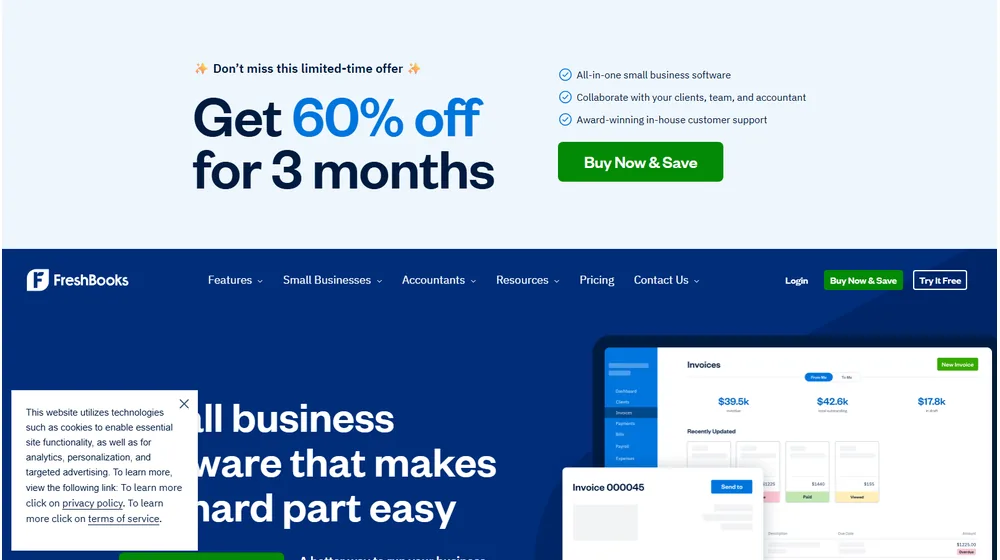
- Invoicing: Customizable, automated, multi-currency billing with scheduled reminders and late fees.
- AI-Powered Expense Tracking: Auto-categorization, rules, and receipt capture minimize manual input and simplify audit trails.
- Time Tracking & Project Collaboration: Built-in timers, team management, and integrated communications streamline billing and reporting for projects.
- Estimates & Proposals: Turn client quotes into invoices instantly; support for e-signatures speeds up sales cycles.
- Double-Entry Accounting: Core ledgers, bank reconciliation, journal entries, and advanced reporting for both SMBs and their accountants.
- Payments & Integrations: Accept cards, ACH, Stripe/PayPal. Syncs with over 100 platforms—CRM, ecommerce, payroll, banking, and tax.
- Mobile Apps for iOS & Android: Full invoice, approval, expense, and reporting capabilities on the go.
- Accountant Portal: Secure, role-based access for outside bookkeepers and CPAs.
Workflow and User Experience
- Modern, intuitive dashboard with customizable widgets.
- Automated workflows: recurring invoices, expense rules, reminders, and batch approvals.
- Drag-and-drop document uploads; auto-extracts key data from receipts and vendor bills.
- Role-based permissions ensure control over sensitive data by user or team.
- Integrated client portals let customers view, approve, and pay invoices securely.
FreshBooks Pricing
| Plan | Key Features | Pricing |
|---|---|---|
| Lite | Unlimited invoices, expense tracking, mobile app, 5 billable clients | $17/mo |
| Plus | Recurring billing, client retainers, more automation, up to 50 clients | $30/mo |
| Premium | Unlimited clients, advanced reporting, team collaboration, bill pay, custom permissions | $55/mo |
| Select | Custom onboarding, advanced automation, dedicated success manager, API tools | Custom |
FreshBooks vs Competitors
| Feature | FreshBooks | QuickBooks Online | Xero |
|---|---|---|---|
| Best For | Service-based SMBs | Generalist small business | Freelancers, global SMBs |
| Automated Invoicing | Yes (advanced) | Yes | Yes |
| AI Expense Categorization | Yes | Limited | Yes |
| Client Portals | Included | Requires add-on | Included |
| Team Collaboration | Robust | Basic | Basic |
| Integrations | 100+ | 600+ | >800 |
| Pricing (Starter) | $17/mo | $30/mo | $13/mo |
| Support | Email, chat, phone | Email, chat, phone | Email, chat |
Pro Tip: For fast-moving service teams, automate recurring invoices and late payment reminders in FreshBooks to cut admin time and get paid faster.

Integrations
- Banking: Connects with most US/UK/EU banks for daily sync
- Payments: Stripe, PayPal, Authorize.Net, Square
- CRM: HubSpot, Salesforce (via Zapier), Capsule
- Ecommerce: Shopify, WooCommerce, Squarespace
- Payroll & HR: Gusto, Justworks (third-party connectors)
- Time Tracking: Trello, Asana, Basecamp
- Tax Tools: Avalara, TaxJar
- API: Open API for custom integrations
Pros & Cons
| Pros | Cons |
|---|---|
|
|
Final Thoughts: Who Should Use FreshBooks?
For SMBs and consultancies seeking fast, reliable, and modern accounting, FreshBooks stands out as a future-ready platform. Its AI workflows, powerful automation, and focus on real-time insights make it especially valuable for organizations prioritizing client collaboration and service delivery over complex inventory. Support is robust by SaaS standards, with direct phone/chat/email access and dedicated onboarding for higher tiers. As the market heads toward unified finance/ops workspaces by 2026, FreshBooks offers both strong usability today and a credible roadmap for tomorrow.

FreshBooks FAQ
Yes, it meets GDPR standards and supports HIPAA via a signed BAA on eligible plans.


Yes, white-label portals support your domain, favicon, and brand visuals.
Ideal for consultants, service firms, and SMBs needing streamlined collaboration.
No—integrates with both. Stripe powers payments; QuickBooks handles accounting.
All plans include chat/email; premium tiers add onboarding and 1:1 setup help.
This post may contain affiliate links and we may earn commissions. Learn more in our disclosure.