

If you’re searching for a cloud-based PDF editing and signing tool that’s both robust and intuitive, DocHub is at the forefront of digital document workflows in 2026. DocHub positions itself as the go-to SaaS platform for entrepreneurs, SMBs, and teams looking to simplify document management—without the steep learning curve or hidden costs seen in legacy eSignature platforms.
From Launch to 2026: DocHub’s Evolution Timeline
- 2014–2018: Established as a user-friendly online PDF editor, focused on annotation and basic signatures.
- 2019–2022: Expanded core features—fillable forms, reusable templates, team collaboration, and Google Workspace & cloud integrations.
- 2023–2024: Enhanced compliance (GDPR, HIPAA, SOC2), template workflows, multi-signer routing, and deep security controls.
- 2025: Matured into an all-in-one eSignature and document workflow SaaS, trusted by 100M+ users globally, and partnering with leading SaaS and education ecosystems.
Key Features: What Sets DocHub Apart in 2025
- Versatile PDF Editing: Add, remove, and rearrange pages. Annotate with text, images, highlights, and whiteout tools.
- eSignature & Multi-Signer Workflows: Legally binding eSignatures (compliant with the ESIGN Act), audit trails, and support for multi-party, sequential, or parallel signing.
- Reusable Templates & Forms: Create fillable forms, save reusable templates, and automate data collection—ideal for HR, sales, or legal use cases.
- Advanced Security & Compliance: End-to-end encryption, password protection, granular access roles, two-factor authentication, and audit logging. SOC2, GDPR, CCPA, PCI DSS, HIPAA ready.
- Integrated Workflow: Seamless integration with Google Workspace (Drive, Gmail, Classroom), as well as Dropbox, Box, and OneDrive.
- Mobile & Web Access: Responsive interface accessible across devices—no software to install or plugins required.


Workflow & User Experience
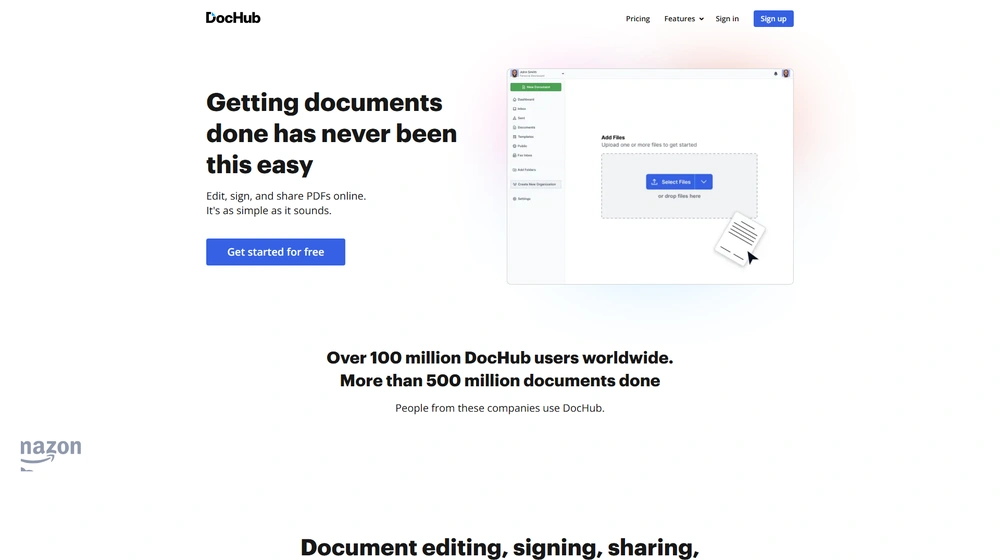
- Intuitive Editor: Upload a document in seconds—drag, drop, or import from cloud storage. The editor auto-detects fields and guides users through annotation and signing.
- Streamlined Signature Process: Create signatures by typing, drawing, uploading, or mobile scan. Assign signers, set roles, and route documents in a few clicks.
- Collaboration at Every Step: Leave comments, assign tasks, and define permissions—it’s truly a team-ready platform.
- Export & Sharing: Instantly share via secure links, email, fax, or direct cloud export. Built-in version control gives confidence over document status.
DocHub Pricing
| Plan | Main Features | 2025 Pricing |
|---|---|---|
| Free | Edit & sign PDFs, Google/Dropbox integration, limited templates & sharing | $0/mo Basic usage caps (e.g., docs/month) |
| Pro | Unlimited edits, templates, eSignatures, premium security, advanced audit trail | $14/mo per user 30-day free trial |
| Business | Bulk sending, advanced team controls, organization branding, SSO, premium support | Custom/Quote |
DocHub vs. Competitors
| DocHub | DocuSign | Adobe Acrobat | PandaDoc | |
|---|---|---|---|---|
| PDF Editing | ✓ Full-featured | Basic/None | ✓ Extensive | Basic |
| eSignatures | ✓ Unlimited w/ Pro | ✓ (tiered & capped) | ✓ (limits on free) | ✓ |
| Templates | ✓ Reusable forms | ✓ (Pro+) | ✓ | ✓ |
| Collaboration | ✓ Roles & comments | Limited | Basic | ✓ Strong |
| Integrations | ✓ Google, Dropbox, Box, Classroom | ✓ | ✓ | ✓ |
| Starting Price | $0/Free | $10/mo+ | $13/mo+ | $19/mo+ |
Pro Tip: For teams already using Google Workspace, DocHub stands out with its deep, one-click integrations—eliminating the friction many competitors face around cloud sharing and e-signature workflows.

Integrations Ecosystem
- Cloud Storage: Direct connections to Google Drive, Dropbox, Box, OneDrive
- Email & Collaboration: Gmail add-on, Google Classroom, and Chrome extension
- Export & Sharing: Public/private doc URLs, secure email, or fax out
- White-Label & Custom Branding: Org-wide branding and domain support (Business plan)
Pros & Cons
| Pros | Cons |
|---|---|
|
|
Final Thoughts
DocHub excels at simplifying digital paperwork without forcing users into expensive, bloated enterprise contracts. Its relentless focus on user experience, security, and Google ecosystem compatibility makes it a favorite among SMBs, schools, and teams modernizing their workflows in 2026. With fair pricing, a durable free tier, and direct integration into daily-used apps, DocHub deserves a top spot on your document management shortlist.
DocHub FAQ
Yes, it meets GDPR standards and supports HIPAA via a signed BAA on eligible plans.
Yes, white-label portals support your domain, favicon, and brand visuals.
Ideal for consultants, service firms, and SMBs needing streamlined collaboration.
No—integrates with both. Stripe powers payments; QuickBooks handles accounting.
All plans include chat/email; premium tiers add onboarding and 1:1 setup help.




