

From Launch to 2026: Connecteam’s Platform Evolution
- 2015–2018: Launched as a mobile-first time clock and schedule manager for field-based teams.
- 2019–2022: Expanded with HR functions—time-off, document vaults, and employee recognition—plus advanced chat and update modules.
- 2023–2024: Adopted hub model: Operations, Communications, and HR each as modular, tiered workspaces; pricing becomes more flexible for SMBs.
- 2025: Introduces AI-based automations (auto-scheduling, AI course/training builder, forms digitization), a free small business plan, and deep integrations. Now a true workflow OS for non-desk teams.
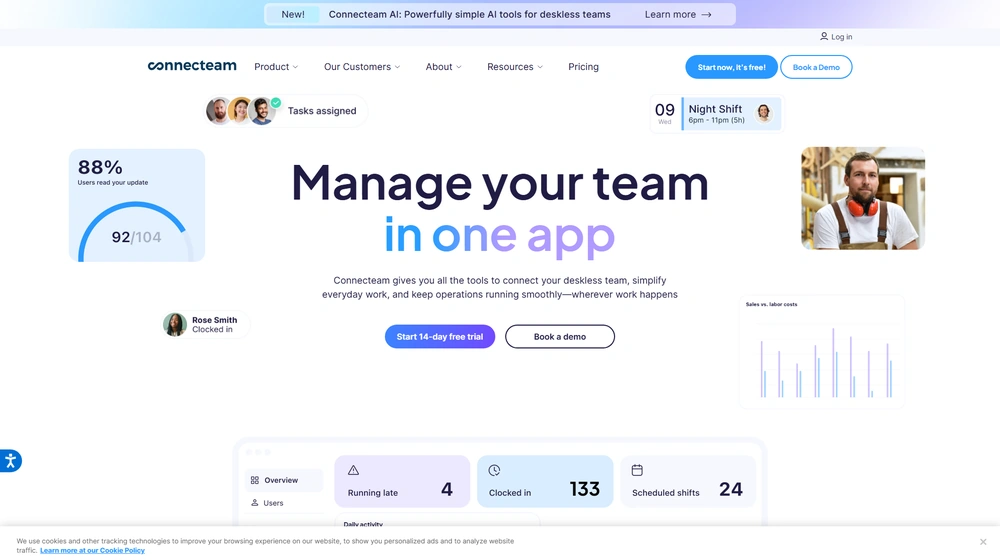
Key Features: What Sets Connecteam Apart?
- Modular Hubs: Operations (time clock, scheduling, forms, task management), Communications (chat, directory, updates, help desk), HR & Skills (time off, documents, training, recognition).
- AI-Powered Tools: One-click auto scheduling, AI-generated forms/courses, speech-to-text, and content auto-translation in chat and updates.
- No-Code Workflows: Managers build checklists, approval flows, forms, and automations without IT support—fully mobile.
- Universal Permissions & Privacy: Deep control over directory, visibility, and content by user, role, or group.
- Smart Onboarding & Training: Document vaults, quizzes, e-signatures, and reward-recognition programs built into HR hub.
- Mobile & Kiosk-Ready: Designed for Android/iOS and shared devices; GPS, geofencing, and live location trails.
- Smart Groups & Segments: Automated assignment/qualification of users and content by custom rules.
Workflow & User Experience: Built for Real Teams
- Unified App Experience: Employees use a single app, switching between chat, schedules, forms, and training with no logins or context loss.
- Kiosk & BYOD Ready: Connecteam works on personal phones or dedicated tablets, with full biometric lock and flexible access rules.
- Manager Portal: Intuitive drag-and-drop suite with deep reporting, schedule & HR automation tools, payroll exports, and built-in messaging.
- Customer Support: Live chat plus dedicated onboarding for advanced tiers; clear online help desk and video tutorials.


Connecteam Pricing 2025
| Plan | First 30 Users | Addl. User | Key Feature Access | Ideal For |
|---|---|---|---|---|
| Free (Small Business) | $0 | – | All Hubs, all core features—max 10 users | Startups, micro-SMBs |
| Limited | $0 | – | Essentials only, up to 30 users | Testing or comms/SOP basic use |
| Basic | $29/mo | From $0.5–$0.8/mo | Full baseline (operations, comms, HR modules) | Teams up to 50 |
| Advanced | $49/mo | From $1.5–$2.5/mo | AI automations, conditional forms, bulk actions | Growth SMBs, multi-location |
| Expert | $99/mo | From $3–$4.2/mo | Unlimited submodules, API, advanced integrations | Process-heavy SMBs, enterprise pilot |
| Enterprise | Custom | Custom | Unlimited, API, security/SSO, VIP onboarding | 200+ users, compliance/regulated |
- All plans: 14-day full-feature trial, credit card not required.
- Yearly plans save 18%. Pricing is transparent, no surprise upgrade fees.
- Each hub (Operations, Comms, HR) can be mixed at different tiers if needed.
For latest deals or a Connecteam promotion, check out the promo bar below.
Competitive Alternatives: Where Connecteam Wins & Loses
| Platform | Best For | Free Plan | AI/Automation | Integrations | Key Weakness |
|---|---|---|---|---|---|
| Connecteam | SMBs, service field ops, franchise | Yes | Yes—AI scheduling, auto-form, more | QuickBooks, Gusto, Zapier API | Few advanced ERP apps, no payroll native |
| Homebase | Restaurants/retail, starter time clock | Yes (limited) | No built-in AI | Payroll, POS | Many integrations require upgrade, basic task mgmt |
| Deputy | Multi-location scheduling | No | AI labor forecasting only | Wide HR/payroll | No robust HR/training; more expensive above 30 users |
| When I Work | Shift planning, messaging for hourly teams | No | Minimal automation | Payroll, Slack | Task/HR basic, limited free |
| BambooHR | HR-focused SMBs | No | No AI/time clock | Payroll, onboarding | No operations, limited comms |
Pro Tip: Start on the free Small Business Plan if you have up to 10 employees—you get all core features at no cost, and can scale up one hub or module at a time. Connecteam doesn’t require your whole org to upgrade at once.

Integrations & Extensibility
- Payroll & HRIS: QuickBooks, Gusto, Xero, Paychex
- API & Zapier: Available for Expert and Enterprise plans; automate workflows and connect with third-party tools.
- SSO & Security: Single sign-on, 2FA, and advanced permissions for enterprise compliance needs.
Pros & Cons
| Pros | Cons |
|---|---|
|
|
Final Thoughts
Connecteam’s modular platform puts SMBs and growing teams on equal footing with enterprise platforms—without the cost or complexity. Its hub-based design means you can deploy only the modules you need, scale as your business grows, and automate repetitive admin via cutting-edge AI and workflow tools. SMB owners who need advanced resource scheduling, real-time comms, HR, forms, and workflows in one login—especially for field and deskless staff—will find Connecteam hard to beat in 2026, both in user experience and overall ROI. The free plan, transparent pricing, and best-in-class support make it an outstanding choice for ambitious teams.
Connecteam FAQ
Yes, it meets GDPR standards and can support HIPAA via a signed BAA on eligible plans.
Yes, white-label portals support your domain, favicon, and brand visuals.
Service-based firms, consultants, and SMBs seeking client experience automation.
No. It integrates with both. Stripe powers payments; QuickBooks handles accounting.
All plans include chat/email support. Advanced plans include onboarding and setup assistance.




