
As web complexity, competitive analysis, and the pace of business accelerate towards 2026, Browse AI is emerging as a central tool for entrepreneurs and SMBs wanting effortless website data extraction and automation—without code or developer bottlenecks.
From Launch to 2026: Browse AI’s Growth Timeline
- 2020–2021: Founded to provide simple, no-code web scraping for individuals, researchers, and startups. Recognized for its intuitive robots and template-driven approach.
- 2022: Adds Zapier, Google Sheets, and more integrations. Expands beyond scraping to light-touch automation and event-driven workflows.
- 2023: Focuses on SMB & team use. Launches collaboration, scheduling, API, and white-label features. Growth accelerates among marketing, competitive intelligence, and operations teams.
- 2024: Tightens AI-enhanced extraction (such as smart table/element recognition) and robust anti-blocking tech. Pricing tiers mature to suit solopreneurs up to mid-market firms.
- 2025–2026 (Outlook): Positions as the ‘Zapier of web automation for data,’ with deeper workflow capabilities, AI-driven change detection, and improved integrations. Aims for category leadership in no-code web-to-workflow automation.
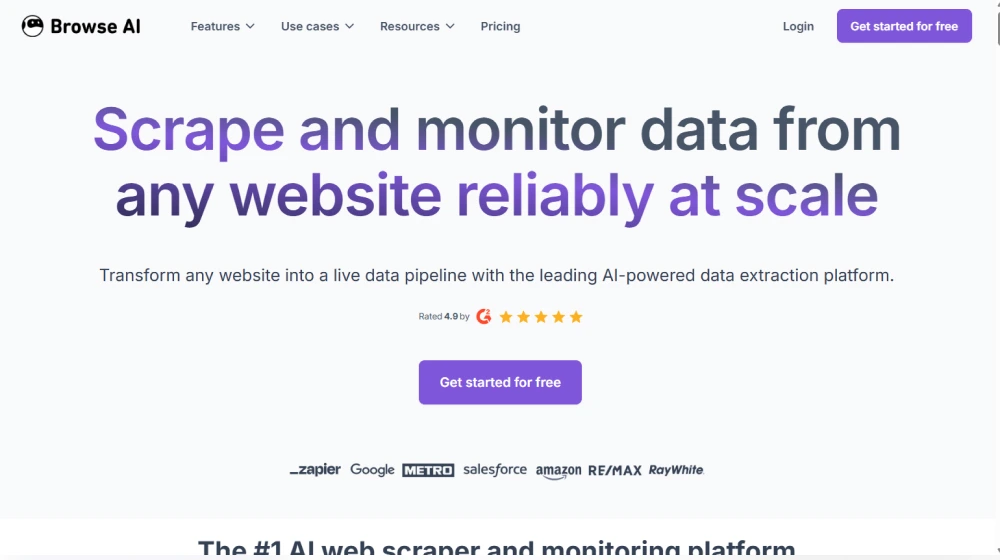
Key Features: What Makes Browse AI Stand Out?
- No-Code Website Data Extraction: Point-and-click ‘robot’ builder lets anyone train automations—no coding skills required.
- Pre-Built Templates: 100+ ready-to-deploy workflows for sites like LinkedIn, Airbnb, Google Maps, Amazon, real estate, jobs, e-commerce listings, and more.
- Scheduled & Event-Based Runs: Set robots to run hourly, daily, or on webhooks/API triggers to keep data feeds live and actionable.
- Data Export & Integrations: Push scraped data to Google Sheets, Airtable, Zapier, Make, Webhooks, and internal business systems.
- AI Recognition: Uses computer vision and AI to adapt to changing page layouts, reduce breakages, and recognize dynamic content.
- Anti-Blocking & Proxy Features: Automated IP rotation, CAPTCHA bypass, and stealthy browsing maximize extraction success.
- Team Collaboration: Invite users, manage roles, set up shared ‘robots,’ and monitor usage centrally.
- White-Label & API: Build and brand client-facing extraction tools or internal dashboards, connect directly to existing BI systems.
- Compliance-Ready: Data privacy controls and GDPR alignment make it suitable for regulated industries.
Workflow & User Experience
- Easy onboarding with guided robot creation and pre-filled templates.
- Dashboard tracks robots, run history, error logs, and usage.
- Edit robots graphically, then test and deploy in one click.
- Flexible scheduling and integration tools for advanced automation, even without engineering support.
- Custom notifications for job failures, data changes, or quota usage.
Browse AI Pricing
| Plan | Monthly Price | Main Features | Support |
|---|---|---|---|
| Free | $0 | Limited robot runs, template access, community support | Email, Knowledgebase |
| Starter | $48/mo | 1,000 task credits, scheduling, Google Sheets & Zapier, basic proxies | Email, Priority Support Upgrade |
| Professional | $112/mo | 10,000 credits, advanced proxies, 5 users, API & webhooks, white-label | Priority Email, Chat |
| Team | $249/mo | 50,000+ credits, 20+ users, SSO, onboarding, premium integrations | Onboarding, Dedicated Chat |
Browse AI vs Competitors
| Product | No-Code UX | Anti-Blocking | Team/White-Label | API | Pricing |
|---|---|---|---|---|---|
| Browse AI | Best-in-class | Included | Yes | Yes | Starts Free |
| PhantomBuster | Good | Partial | Limited | Yes | $69/mo+ |
| Apify | Technical | Yes | API/Marketplace | Yes | $49/mo+ |
| Octoparse | No-code | Limited | No | Yes | $75/mo+ |
| WebHarvy | Simple (Windows app) | No | No | No | $99 one-time |
Pro Tip: Tap into Browse AI’s pre-built LinkedIn, Amazon, or Google Maps robots to save hours—ideal for competitive intelligence and market research projects that would otherwise be bottlenecked by manual data gathering.

Integrations
- Zapier: Automate data workflows into 5,000+ apps.
- Google Sheets & Airtable: Direct spreadsheet output/feed management.
- Webhooks & API: Custom triggers and ingestion for BI, CRM, ERP, email marketing stacks, and proprietary dashboards.
- Make (Integromat): Event-driven automation with leading no-code platforms.
- Native integrations frequently added for popular SaaS tools, including Slack notifications and CSV/Excel export.
Pros & Cons
| Pros | Cons |
|---|---|
|
|
Final Thoughts
In a web-first, data-hungry business landscape, Browse AI is poised to shape how non-technical teams harness live website data, eliminate tedious copy/paste, and build truly real-time analytics and automations by 2026. If your ambitions include scaling your business with competitor monitoring, dynamic pricing, or streamlined reporting, its unique blend of ease, AI, and integrations place it at the top of the no-code automation shortlist.

Browse AI FAQ
Yes, it meets GDPR standards and supports HIPAA via a signed BAA on eligible plans.


Yes, white-label portals support your domain, favicon, and brand visuals.
Ideal for consultants, service firms, and SMBs needing streamlined collaboration.
No—integrates with both. Stripe powers payments; QuickBooks handles accounting.
All plans include chat/email; premium tiers add onboarding and 1:1 setup help.
This post may contain affiliate links and we may earn commissions. Learn more in our disclosure.