

Bebop is redefining how small and midsize businesses manage client portals, automate workflows, and collaborate—all without a development team. By 2026, Bebop aims to be the default operating layer for service-based companies seeking a balance between automation and personalization.
From Launch to 2026: The Bebop Evolution Timeline
- 2022: Beta launch; core client-portal platform debuts for early adopters.
- 2023: Project templates, role-based permissions, and real-time messaging go live.
- 2024: AI-assisted onboarding, customizable white-label portals, Stripe and QuickBooks integration released.
- 2025 (roadmap): API extensions, Zapier connectors, and mobile admin app in development.
- 2026 (target): Full industry vertical support; advanced automation suites tailored for agencies, consultancies, and SaaS vendors.
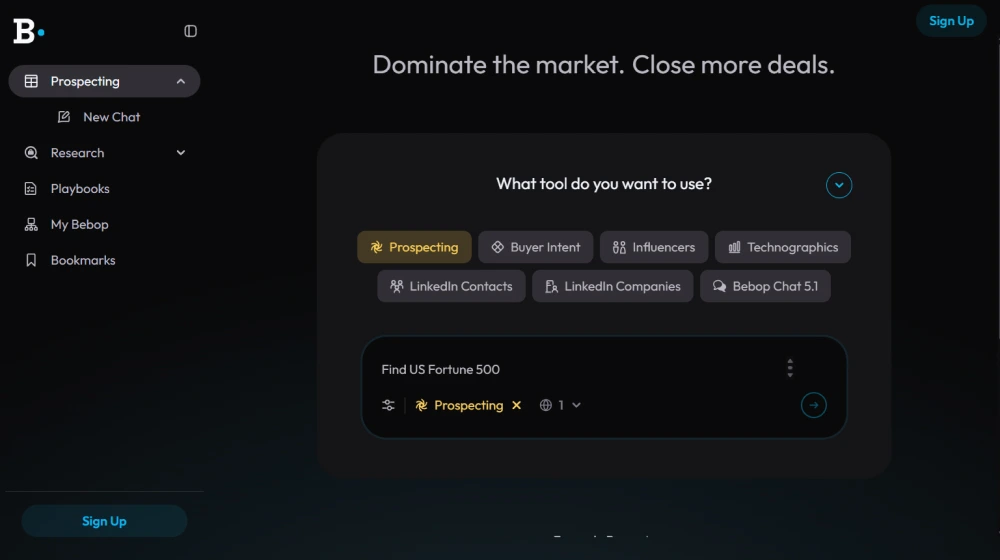
Bebop Key Features
- Customizable client portals with drag-and-drop builder
- Automated onboarding forms and e-signatures
- Role-based access control and team management
- Task assignments, collaborative checklists, and file sharing
- Real-time chat and broadcast announcements
- White-labeling: logos, domains, appearance
- Native Stripe billing and QuickBooks accounting integrations
- Prebuilt project templates for recurring workflows (e.g., onboarding, support cases)
- Notifications (email, in-app, Slack)
- Basic reporting and analytics
- API and Zapier support (roadmap 2025)


Workflow & User Experience
- Onboarding Wizard: Set up new clients or projects with guided steps, assign teams, and kick off communication.
- Portal Customization: Drag-and-drop widgets control visibility and brand experience for your users.
- Collaboration: Threaded discussions, task mentions, and private/internal notes keep teams and clients aligned.
- File Handling: Secure document sharing, e-sign verification, and audit trails for compliance.
- Scalability: Built for 1–500 users per tenant; admin dashboards provide a snapshot of user health and milestones.
Bebop Pricing
| Plan | Key Features | Pricing |
|---|---|---|
| Solo | Single admin, up to 25 active clients, core workflows | $49/mo |
| Team | Up to 5 admins, 100 active clients, white-labeling, integrations | $129/mo |
| Business | 20+ admins, unlimited clients, advanced automation, priority support, API (2025+) | Custom |
Bebop vs Leading Alternatives
| Features | Bebop | ClientPortal.io | SuiteDash | HoneyBook |
|---|---|---|---|---|
| White-label Domains | Yes | No | Yes | No |
| Custom Workflows | Yes | Limited | Yes | Partial |
| Team Collaboration | Full | Partial | Full | Partial |
| Native Payments | Stripe | PayPal | Stripe, PayPal | Stripe |
| Integrations | Stripe, QuickBooks | No | Zapier (Pro) | Basic |
| AI Automation | In Progress | No | No | No |
| Pricing (Base) | $49/mo | $30/mo | $19/mo | $16/mo |
Pro Tip: Trial Bebop risk-free with a 14-day period; import your clients from spreadsheets or previous tools to see ROI within your first week.

Integrations
- Stripe (payments, subscriptions)
- QuickBooks Online (invoicing, reconciliation)
- Google Workspace (calendar, drive)
- Slack (notifications; roadmap 2025)
- Zapier (API, advanced automations in 2025)
Pros & Cons
| Pros | Cons |
|---|---|
|
|
Final Thoughts
For SMBs and growing teams seeking to streamline onboarding, automate routine operations, and present a professional client experience, Bebop stands out as a modern, no-code solution. With a focused roadmap, robust core integrations, and flexible customization, Bebop can confidently support consultants, agencies, and service providers scaling through 2026 and beyond.
Bebop FAQ
Yes, it meets GDPR standards and supports HIPAA via a signed BAA on eligible plans.
Yes, white-label portals support your domain, favicon, and brand visuals.
Ideal for consultants, service firms, and SMBs needing streamlined collaboration.
No—integrates with both. Stripe powers payments; QuickBooks handles accounting.
All plans include chat/email; premium tiers add onboarding and 1:1 setup help.




