

Attotime sets out to redefine how SMBs and field services manage workforce operations, offering a modern, cloud-based platform for real-time employee time tracking and location assurance. As hybrid and remote work rise, Attotime is positioned to deliver measurable productivity improvements and compliance peace-of-mind into 2026.
From Launch to 2026: The Attotime Timeline
- 2018-2020: Early adopter traction among field service SMBs; emphasis on core location and time-capture accuracy.
- 2021-2023: Major mobile updates, granular GPS/geofence features, and integrations with leading payroll tools.
- 2024-Present: Workflow automation, advanced analytics, and simplified onboarding drive adoption beyond field to broader SMB markets.
- By 2026: Attotime aims to be the default SaaS for time compliance, with AI-assisted scheduling and policy enforcement for distributed teams.
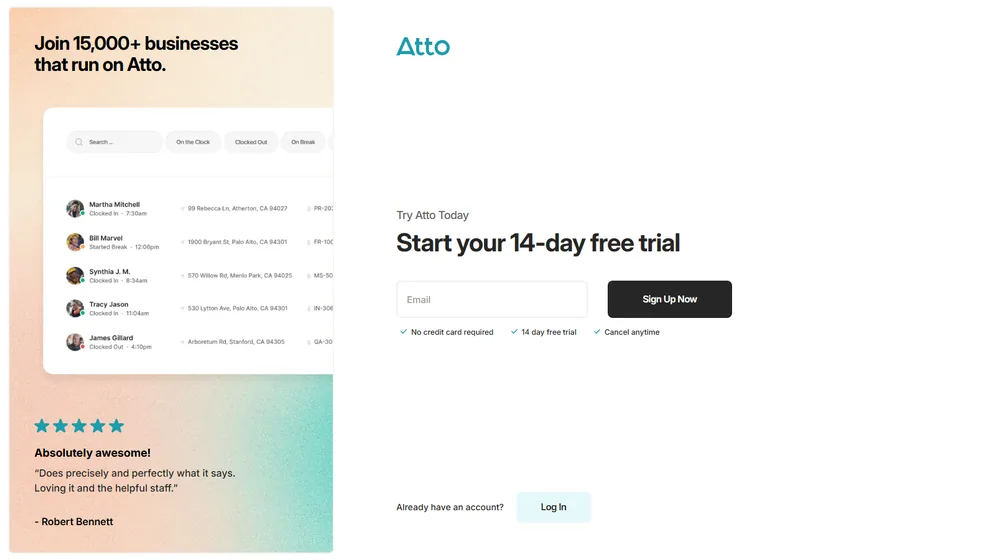
Key Features: Smarter Workforce, Simpler Compliance
- Mobile Time Clocks: Seamless clock-in/out via app; selfie and location verification options.
- GPS, Geofencing & Route Tracking: Real-time map visibility; prevent offsite clock-ins, optimize travel times.
- Automated Timesheets: Auto-generated, audit-friendly logs; manual edits with change logs for compliance.
- Job & Task Allocation: Assign shifts, jobs, or tasks; monitor progress, track labor costs.
- Payroll Integrations: Syncs with QuickBooks, ADP, Xero, and more; export-ready reports for fast processing.
- Leave & Break Management: Set policies, automate accruals, prompt for breaks/meal period compliance.
- Team Messaging: Streamlined in-app group or individual chat for on-the-go workforce coordination.
- Automated Scheduling: Visual drag-drop planners, shift swaps, and template tools for recurring rosters.
- Custom Alerts & Reminders: Enforce policies and promote accountability with automated push/email/SMS.


Workflow & User Experience
- Onboarding in minutes – intuitive mobile/web apps for both managers and workers.
- Permissions control – restrict views, protect attendance data by role/team/site.
- Granular audit trails – every edit, approval, or manual log is timestamped and attributed.
- Clear dashboards – live coverage maps, attendance stats, and compliance alerts at-a-glance.
Attotime Pricing
| Plan | Core Features | Pricing (USD) |
|---|---|---|
| Basic | Time clocks, GPS, mobile/web, simple reports | $5/user/mo |
| Growth | All Basic + job management, scheduling, payroll integrations | $8/user/mo |
| Enterprise | All features + custom reporting, API, priority support | Custom |
Attotime vs Alternatives
| Platform | Key Differentiator | Ideal For | Starting Price |
|---|---|---|---|
| Attotime | Mobile-first, real-time GPS & workflows | SMBs, field/service teams | $5/user/mo |
| TSheets (QuickBooks Time) | Deeper payroll/accounting integration | QuickBooks users, larger teams | $8/user/mo |
| Clockify | Project/task time tracking, free tier | Agencies, freelancers | $0 (basic), $4.99/user/mo |
| Hubstaff | Robust location+productivity monitoring | Remote teams, agencies | $5.83/user/mo |
Pro Tip: For mobile-first businesses, choose Attotime to enforce time and location compliance without manual approvals or external hardware.

Integrations
- QuickBooks, Xero: One-click payroll export and sync.
- ADP, Gusto: Automated timesheet transfer for payroll processing.
- Zapier: Connect with hundreds of popular SMB apps (email, communication, invoicing).
- Custom API: Available for enterprise plans.
Pros & Cons
| Pros | Cons |
|---|---|
|
|
Final Thoughts
For SMBs seeking effortless time, location, and workforce tracking, Attotime stands out—ahead of legacy timecard tools and easier than full-scale HR suites. It enables growing teams to streamline payroll, remain audit-ready, and focus on getting work done. By 2026, look for further automation and AI to continue streamlining compliance and workforce management for distributed teams.
Attotime FAQ
Yes, it meets GDPR standards and supports HIPAA via a signed BAA on eligible plans.
Yes, white-label portals support your domain, favicon, and brand visuals.
Ideal for consultants, service firms, and SMBs needing streamlined collaboration.
No—integrates with both. Stripe powers payments; QuickBooks handles accounting.
All plans include chat/email; premium tiers add onboarding and 1:1 setup help.




