

Webflow is redefining what’s possible in website creation, allowing businesses and designers to build, launch, and scale interactive websites visually—without ever writing code. As the no-code revolution accelerates through 2026, Webflow is positioned for SMBs and entrepreneurs needing full creative control, native hosting, and growth-ready CMS capabilities—all managed from a unified, cloud-based platform.
From Launch to 2026: Webflow’s Journey & Future
- 2013–2017: Modest launch as a visual web design tool; quickly attracts indie designers and agencies.
- 2018–2021: CMS, Interactions, and eCommerce launch—shifting from simple site builder to multi-capability web platform.
- 2022–2024: Explosive usage by scale-ups and SMBs for dynamic content, client portals, and custom workflows.
- 2025–2026 (forecast): Expect deeper AI-driven design, workflow automation, and enterprise-grade security—targeting both solo creators and scaling teams.
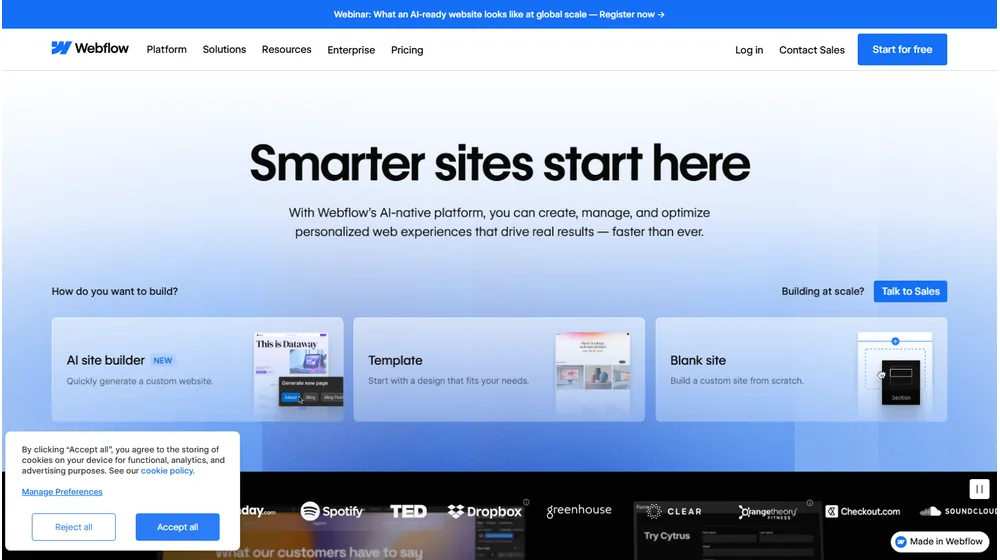
Key Features: Design, Build, Launch—All Online
- Visual Designer: Pixel-perfect, drag-and-drop interface outputs clean HTML, CSS, JS.
- CMS: Dynamic collections, reference fields, and flexible API for structured content. Suitable for blogs, directories, and product catalogs.
- Client Collaboration: Built-in editor access, robust permissions, and white-label workflows for agencies.
- eCommerce: Fully native storefront builder, product management, shopping carts, and payment integrations.
- Hosting & Security: Global CDN, SSL by default, DDoS protection, automatic backups, and one‑click publishing.
- SEO Controls: Custom meta, alt text, 301 redirects, and performant code for fast ranking.
- Animation & Interactions: Sophisticated animation engine for engaging landing pages and microinteractions—no scripts required.
- Custom Code: For advanced needs, inject JS, third-party tools, or HTML in page and site head/body.


Workflow & User Experience
- No-code “what you see is what you get” (WYSIWYG) design with real-time preview.
- Reusable components: Symbols, templates, and style guide management speed up team workflows.
- Collaboration: Multi-user editing, comment threads, client handoff mode.
- Migration & staging: Build in staging, publish with version control, roll back as needed.
Webflow Pricing
| Plan | Key Features | Pricing |
|---|---|---|
| Starter | 1 site, webflow.io domain, 50 CMS items | Free |
| Basic | Custom domain, no CMS, 25,000 monthly visits | $14/mo |
| CMS | Dynamic content, 2,000 CMS items, site search | $23/mo |
| Business | 10,000 CMS items, advanced SEO, higher traffic | $39/mo |
| Enterprise | Custom SLAs, SSO, higher limits, dedicated support | Custom/Quote |
Webflow vs. Competitors
| Platform | Strengths | Weaknesses |
|---|---|---|
| Webflow | Designer-friendly flexibility, advanced CMS, real-time collaboration | Deeper learning curve for non-designers |
| Wix | Beginner-oriented, low entry cost, app marketplace | Limited design freedom, less scalable CMS |
| Squarespace | Stunning templates, all-in-one hosting, simple store setup | Lower customizability, restrictive developer mode |
| WordPress | Open source, massive plugin ecosystem, self-host flexibility | Manual maintenance, plugin/code dependency |
Pro Tip: To maximize ROI, use Webflow for rapid prototyping and validated launches before committing to long-term, custom-coded builds. With built-in SEO and performance controls, you’ll achieve both visual polish and efficiency.

Integrations
- Native form-to-email, CMS API, Zapier, and Make.com for workflow automation.
- Shopify, Memberstack, Foxy integrations support custom eCommerce or membership sites.
- Google Analytics, Facebook Pixel, custom script injection via design interface.
Pros & Cons
| Pros | Cons |
|---|---|
|
|
Final Thoughts
Webflow’s rapid evolution signals a new era in digital presence—democratizing access to complex web capabilities without development bottlenecks. For creative entrepreneurs, agencies, and scaling businesses seeking control, security, and speed, Webflow is a standout choice. While onboarding may take time for non-designers, the end-game flexibility and publishing power justify the investment for most modern teams.
Webflow FAQ
Yes, it meets GDPR standards and supports HIPAA via a signed BAA on eligible plans.
Yes, white-label portals support your domain, favicon, and brand visuals.
Ideal for consultants, service firms, and SMBs needing streamlined collaboration.
No—integrates with both. Stripe powers payments; QuickBooks handles accounting.
All plans include chat/email; premium tiers add onboarding and 1:1 setup help.




